
TL;DR:
- Effective compliance automation requires thorough workflow assessment, clear process mapping, and stakeholder involvement.
- Integrated GRC platforms offer scalability, better data cohesion, and long-term ROI over point solutions.
- Continuous monitoring, regular updates, and process refinement are essential for maintaining trust and compliance accuracy.
Compliance teams in medium to large enterprises are under mounting pressure. Regulatory frameworks multiply, audit cycles compress, and manual review queues grow faster than headcount can absorb. The result is a familiar pattern: delayed sign-offs, inconsistent controls, and audit findings that trace back to human error rather than policy failure. Automation and custom software change that equation, but only when applied with clarity and discipline. This guide walks compliance officers and IT managers through assessing current workflows, selecting the right tools, engineering reliable processes, and building continuous improvement loops that hold up under scrutiny.
Key Takeaways
| Point | Details |
|---|---|
| Workflow mapping first | Begin by thoroughly mapping your compliance tasks and identifying manual bottlenecks to target for automation. |
| Prioritize integrated tools | Choose scalable, integrated automation platforms that support future regulatory changes and deliver measurable ROI. |
| Stakeholder involvement | Engage control owners and auditors early and often for process design and verification, building trust and clarity. |
| Continuous verification | Set up ongoing monitoring, manual reviews, and regular stakeholder updates to maintain effective and trustworthy compliance automation. |
Assessing your current compliance workflow
Before any tool is selected or any process is automated, teams need an honest picture of what they are actually running. Most compliance workflows contain a mix of fully manual tasks, partially automated steps, and legacy processes that nobody has revisited in years. Mapping that reality is the first act of transformation.
Start by cataloging every compliance task and labeling each one as manual, semi-automated, or fully automated. Then ask three diagnostic questions for each task: Where do errors cluster? Who owns the outcome? And how often does a regulatory change force a rework? The answers reveal the true bottlenecks, not the assumed ones.
Common workflow problems to look for include:
- Double-handling: The same data entered into two or more systems by different people
- Unclear ownership: Tasks that move between teams without a defined responsible party
- Undocumented exceptions: Manual workarounds that bypass controls and leave no audit trail
- Regulatory change hotspots: Areas where rules shift frequently but update procedures are informal
A structured workflow review checklist helps teams move from observation to action. Consider organizing findings in a simple table:
| Task | Current state | Error frequency | Owner | Automation potential |
|---|---|---|---|---|
| Policy attestation | Manual | High | HR/Legal | High |
| Access rights review | Semi-automated | Medium | IT | High |
| Incident logging | Manual | High | Compliance | Medium |
| Vendor risk assessment | Manual | Low | Procurement | Medium |
| Regulatory update tracking | Manual | High | Compliance | High |
One underappreciated risk at this stage is moving too fast. Parallel runs without exit criteria and trust gaps slow compliance transformation significantly. Teams that skip the diagnostic phase and jump straight to automation often find themselves running two broken processes instead of one.
Understanding the business automation types available to enterprises also helps at this stage, because the right category of automation for a policy attestation task differs substantially from what suits a real-time transaction monitoring workflow.
Selecting the right automation tools and platforms
With a clear workflow map in hand, the next decision is which tools to deploy. This is where many enterprises make a costly mistake: they select point solutions for individual problems rather than integrated platforms that serve the whole compliance function.

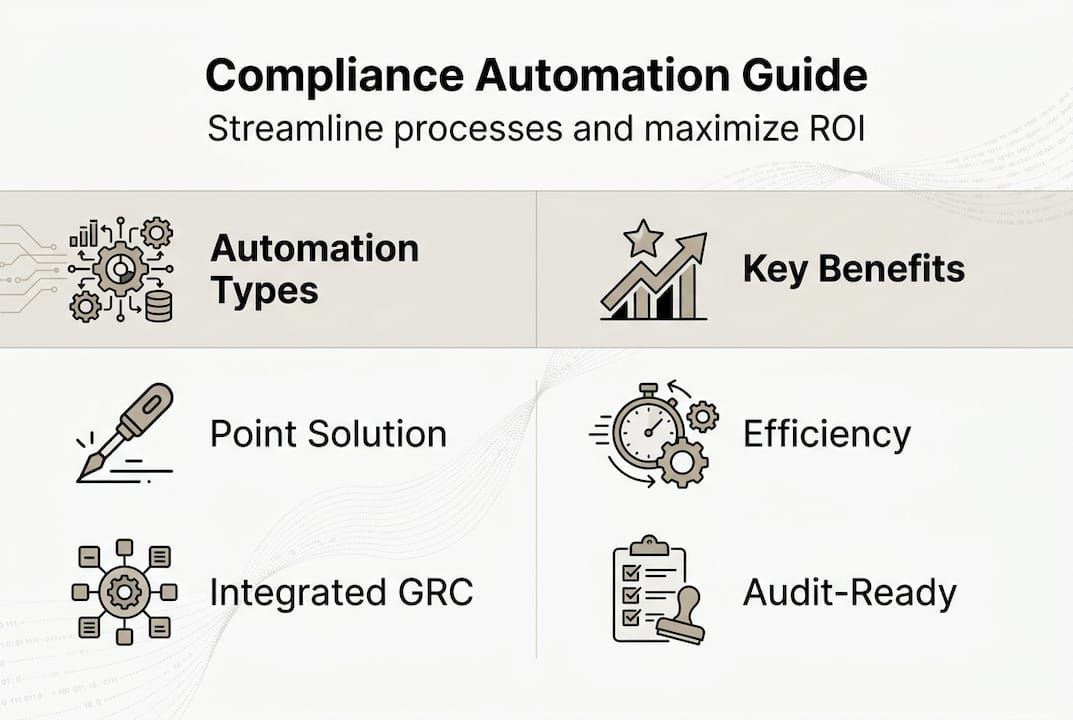
Point solutions are fast to deploy and solve a narrow problem well. But they create data silos, require separate integrations, and multiply vendor relationships. Integrated GRC (Governance, Risk, Compliance) platforms, by contrast, connect risk registers, policy libraries, audit workflows, and reporting into a single data model. Integrated platforms scale better and deliver ROI through efficiency gains that compound over time.
When evaluating any platform, apply these criteria:
- Scalability: Can the platform handle regulatory expansion across jurisdictions without a rebuild?
- Integration depth: Does it connect natively to your ERP, HRMS, and identity management systems?
- Audit trail quality: Does every action produce a tamper-evident log?
- Vendor support model: Is there a dedicated implementation team or just documentation?
- Customization ceiling: Can the platform accommodate your specific control frameworks?
The build-versus-buy question also surfaces here. Off-the-shelf GRC tools cover common frameworks well, but organizations with unique workflows or proprietary data structures often find that integrated GRC solutions or custom-built platforms deliver better long-term fit. Custom development, particularly when using modular foundations with pre-built components, can start at 60% completion and reach production faster than a full greenfield build.
| Dimension | Point solutions | Integrated GRC | Custom platform |
|---|---|---|---|
| Time to deploy | Fast | Moderate | Variable |
| Integration effort | High | Low to medium | Low (if modular) |
| Scalability | Limited | High | High |
| Total cost of ownership | High (long-term) | Medium | Medium to low |
| Control customization | Low | Medium | High |
The workflow automation ROI case for integrated platforms is strongest when compliance spans multiple regulatory domains, because the efficiency gains multiply across each framework rather than staying isolated to one.
Designing your streamlined process and automation logic
Tool selection is only half the work. The harder part is re-engineering the process itself so that automation accelerates work without accelerating chaos. A poorly designed automated process produces wrong outputs faster than a manual one.
A reliable redesign follows this sequence:
- Map the ideal state: Define what the process should produce, who approves it, and what evidence it must generate
- Identify automation candidates: Only automate tasks with clear inputs, defined rules, and measurable outputs
- Integrate systems: Connect the automation logic to source systems so data flows without manual re-entry
- Document control logic: Write out every decision rule in plain language before encoding it in software
- Set exit criteria for parallel runs: Define the specific conditions under which the manual process can be retired
- Test with real scenarios: Run the automated process against historical cases to verify accuracy before go-live
Stakeholder involvement is not optional. Involve control owners and auditors early and define clear exit criteria for parallel manual processes. When the people who rely on a control have no input into how it is automated, the result is a tool that technically functions but practically nobody trusts.
“Automation that bypasses the people closest to the risk doesn’t remove the risk. It just removes the visibility.”
Pro Tip: Never automate a process you cannot fully describe in writing first. If the logic is ambiguous to a human reviewer, it will be wrong in code. Clarity precedes automation, always.
The enterprise automation strategies that succeed in complex organizations share one trait: they preserve human judgment at decision points where context matters, and automate only the deterministic steps around those points. Reviewing top automation strategies across industries also surfaces patterns worth borrowing, particularly around exception handling and escalation logic. Common automation pitfalls at this stage include encoding outdated rules, skipping user acceptance testing, and treating the first deployment as the final one.
Verifying, monitoring, and improving your automated compliance
Deployment is not the finish line. Automated compliance systems require active monitoring to remain accurate, trusted, and aligned with current regulations. The organizations that treat go-live as the end of the project are the ones that discover failures during audits rather than before them.
Verification starts immediately after launch. Run log reviews against expected outputs, compare automated decisions to manual benchmarks, and confirm that audit trails are complete and retrievable. Build a monitoring cadence into the operating model from day one.
| Monitoring activity | Frequency | Owner | Output |
|---|---|---|---|
| Log review and anomaly check | Weekly | IT/Compliance | Exception report |
| Control accuracy audit | Monthly | Compliance | Accuracy rate |
| Regulatory change scan | Monthly | Legal/Compliance | Update log |
| Stakeholder review | Quarterly | Compliance lead | Control update record |
| Full system audit | Annually | Internal audit | Audit report |
False positives deserve specific attention. False positives erode trust; always allow for manual oversight and continuous updates. When an automated control flags legitimate activity as a violation repeatedly, teams start ignoring alerts. That alert fatigue is one of the most dangerous failure modes in compliance automation because it creates a gap between what the system reports and what people act on.
Key metrics to track post-deployment:
- False positive rate: Percentage of alerts that turn out to be non-issues
- Control coverage: Percentage of required controls that are fully automated versus manual
- Mean time to detect: How quickly the system identifies a compliance gap
- Audit finding rate: Number of findings per audit cycle, tracked over time
Pro Tip: Schedule quarterly stakeholder reviews specifically to evaluate whether automation logic still reflects current regulatory requirements. Regulations change, and so do internal processes. A control that was accurate at deployment can drift out of alignment within months without a structured review.
For teams managing complex or sensitive workflows, securing business workflows with AI and blockchain-based audit trails adds an additional layer of integrity that traditional log systems cannot match. Stakeholder engagement in monitoring is just as critical as in design, and resources on stakeholder engagement in compliance automation offer practical frameworks for structuring those reviews.
Why automation alone won’t fix compliance—and what actually works
The dominant narrative around compliance automation oversimplifies the problem. Organizations invest in platforms expecting transformation, then discover that the tool exposed process gaps they did not know existed. That is not a technology failure. It is a diagnosis.
Automation is a force multiplier. It amplifies whatever process it runs on. A clear, well-owned, regularly reviewed process becomes dramatically more efficient when automated. An ambiguous, poorly governed process becomes a faster source of incorrect outputs.
No automation can substitute for thoughtful process mapping and ongoing stakeholder engagement. The organizations that extract lasting value from compliance automation are the ones that treat it as a continuous discipline, not a one-time deployment. They invest in automation optimization as an ongoing practice, not a project milestone. True ROI comes from the review cycles, the control updates, and the stakeholder conversations that happen long after the software goes live.
Next steps: Custom solutions for compliance automation
Building a compliance automation system that actually holds up under audit pressure requires more than off-the-shelf software. It requires a platform designed around your specific controls, data structures, and regulatory environment.
Bitecode’s modular approach means your enterprise automation module starts at 60% completion, cutting development time without cutting capability. The AI workflow assistant handles intelligent routing, exception flagging, and audit trail generation natively. For teams managing client or vendor relationships within compliance workflows, custom CRM solutions integrate directly into the compliance stack. Request a consultation to assess your current workflow and identify where modular automation delivers the fastest, most reliable return.
Frequently asked questions
What are the most common mistakes enterprises make when automating compliance?
Automating wrong processes and ignoring manual oversight undermines compliance effectiveness. Enterprises also frequently neglect system integration and fail to involve control owners, which erodes trust in automated outputs.
How can you ensure trust in automated compliance systems?
Stakeholder involvement and defined exit criteria drive trust in automated systems. Involve control owners and auditors from the start, and maintain manual review options for high-stakes decisions.
What is the ROI of integrated compliance automation for enterprises?
Integrated solutions deliver superior ROI for medium to large enterprises by increasing efficiency, reducing redundant effort, and scaling across multiple regulatory frameworks without proportional cost increases.
How should companies monitor for regulatory changes after automating?
Establish a structured cadence of log audits, regulatory scans, and stakeholder reviews so that automation logic is updated promptly when rules change. Manual reviews and regular updates protect against regulatory drift that silent automated systems cannot self-correct.


