
Manual financial transaction processing drains valuable time and resources from your organization while introducing costly errors into critical workflows. Finance executives and IT managers at medium to large organizations face mounting pressure to streamline operations, reduce processing times, and eliminate human error from repetitive tasks. Automating financial transactions transforms these pain points into competitive advantages, delivering faster processing, improved accuracy, and enhanced operational efficiency. This guide walks you through assessing your current processes, selecting the right tools, implementing automation effectively, and verifying results to achieve measurable improvements in your financial operations.
Key Takeaways
| Point | Details |
|---|---|
| Automation benefits | Automating financial transactions reduces processing times, lowers errors, and frees staff for strategic work. |
| Preparation foundation | A thorough preparation phase documents current workflows, systems, and requirements to establish a solid baseline for automation. |
| Smart implementation | Choosing suitable tools and ensuring seamless integration with existing systems is essential for a successful automation rollout. |
| Verify and optimize | Ongoing verification and monitoring confirm accuracy and compliance while enabling adjustments to evolving needs. |
Assessing your current financial transaction processes
Before implementing any automation solution, you need a clear picture of how financial transactions currently flow through your organization. Start by documenting every step in your existing workflows, from invoice receipt to payment processing and reconciliation. This mapping exercise reveals bottlenecks, redundancies, and manual touchpoints that consume excessive time and resources.
Identify which tasks are highly repetitive and prone to human error. Common candidates include data entry from invoices, payment approvals following predetermined rules, reconciliation of transactions across systems, and generation of standard financial reports. These activities typically follow consistent patterns and require minimal judgment, making them ideal for automation. Evaluating existing workflows is critical before implementing automation to ensure targeted improvements.
Your IT infrastructure assessment determines technical readiness for automation. Examine whether your current systems expose APIs for integration, support modern authentication protocols, and can handle increased transaction volumes. Legacy systems may require middleware or modernization before automation becomes feasible. Document technical constraints early to avoid costly surprises during implementation.
Compliance and security requirements shape your automation strategy significantly. Financial transactions must meet regulatory standards for data protection, audit trails, and access controls. Identify which regulations apply to your industry and geography, then ensure any automation solution maintains or enhances compliance. Security features like encryption, role-based access, and automated logging become non-negotiable requirements rather than optional features.
Pro Tip: Create a detailed process flow diagram showing every manual step, decision point, and system interaction in your current workflows. This visual reference helps stakeholders understand automation opportunities and serves as a baseline for measuring improvement after implementation.
Key assessment activities:
- Document end-to-end transaction workflows with timing and error rates
- Catalog all systems involved in financial processing and their integration capabilities
- Interview staff to identify pain points and workflow inefficiencies
- Review compliance requirements specific to your industry and operating regions
- Calculate current processing costs including labor, error correction, and delays
Your assessment creates the business case for automation by quantifying current inefficiencies and identifying high-impact opportunities. Organizations that skip this foundational step often implement automation in the wrong areas or encounter unexpected technical barriers that delay projects and inflate costs.
Preparing your infrastructure and selecting automation tools
Infrastructure readiness determines whether automation implementation proceeds smoothly or encounters constant roadblocks. Verify that your core financial systems support modern integration standards like REST APIs, webhooks, or message queues. Systems lacking these capabilities may need upgrades or replacement before automation delivers meaningful value. Network capacity, server resources, and database performance must handle increased automated transaction volumes without degradation.
Choosing the right automation and AI tools tailored to your organization’s needs maximizes efficiency and scalability. Evaluate solutions based on integration flexibility, processing speed, error handling capabilities, and vendor support quality. Tools designed specifically for financial software development understand industry requirements like audit trails, regulatory reporting, and secure transaction handling.
Critical tool selection criteria:
- Native integration with your existing ERP, accounting, and banking systems
- Granular workflow customization without extensive coding requirements
- Real-time monitoring dashboards with customizable alerts and reporting
- Comprehensive audit logging that captures every transaction and system action
- Scalability to handle peak transaction volumes and future growth
- Vendor track record in financial services with references from similar organizations
| Feature | Why It Matters | Evaluation Questions |
|---|---|---|
| API Integration | Enables seamless data flow between systems | Does it support our existing platforms? Are rate limits adequate? |
| Security Controls | Protects sensitive financial data and ensures compliance | What encryption standards are used? How are credentials managed? |
| Workflow Engine | Allows customization of business rules and processes | Can we modify rules without vendor assistance? How complex can workflows become? |
| Audit Capabilities | Provides compliance evidence and troubleshooting data | Are all actions logged? Can we export audit trails easily? |
| Disaster Recovery | Ensures business continuity during outages | What backup and failover options exist? What’s the recovery time objective? |
Pro Tip: Request proof-of-concept implementations from your top two vendor choices using actual transaction data from your environment. This hands-on evaluation reveals integration challenges, performance characteristics, and usability issues that sales demonstrations never expose.
Security architecture requires special attention when automating financial transactions. Implement multi-factor authentication for system access, encrypt data both in transit and at rest, and establish role-based permissions that enforce segregation of duties. Automated systems should enhance security by reducing manual handling of sensitive data while maintaining comprehensive audit trails that satisfy regulatory requirements.

Plan for ongoing maintenance and updates from the start. Automation tools require regular updates to address security vulnerabilities, support new integration standards, and adapt to changing business requirements. Allocate budget and technical resources for continuous improvement rather than treating automation as a one-time project. Vendor support agreements should guarantee timely security patches and compatibility updates as your other systems evolve.
Implementing automation: step-by-step process for financial transactions
Successful implementation follows a structured approach that minimizes disruption while building confidence in automated systems. A structured implementation with testing phases ensures smooth integration and operation. Begin with a detailed project plan that identifies milestones, assigns responsibilities, and establishes success criteria for each phase.
Implementation sequence:
-
Configure integration connections between your automation platform and existing financial systems, establishing secure API connections, authentication protocols, and data mapping rules.
-
Build initial workflows for a single, low-risk transaction type like standard vendor payments or recurring invoices, keeping rules simple and thoroughly documented.
-
Execute controlled testing using historical transaction data to verify accuracy, performance, and error handling before processing live transactions.
-
Deploy to production with a small subset of actual transactions, monitoring closely for unexpected behaviors or integration issues.
-
Expand gradually to additional transaction types and higher volumes as confidence builds and staff becomes comfortable with automated processes.
-
Optimize continuously based on performance data, user feedback, and changing business requirements.
Testing deserves far more attention than most organizations allocate. Create comprehensive test scenarios covering normal transactions, edge cases, error conditions, and high-volume stress testing. Validate that automated processes produce identical results to manual processing for known transaction sets. Test error handling by deliberately introducing invalid data, system outages, and network failures to verify graceful degradation and recovery.
Staff training transforms automation from a technical project into an operational capability. Develop role-specific training that shows finance staff how to monitor automated workflows, handle exceptions, and interpret system alerts. IT teams need deeper technical training on troubleshooting integration issues, modifying workflow rules, and maintaining system security. Training should emphasize how automation enhances rather than replaces human expertise.
| Implementation Phase | Duration | Key Activities | Success Metrics |
|---|---|---|---|
| Integration Setup | 2-4 weeks | API configuration, authentication, data mapping | Successful test connections, data validation |
| Workflow Development | 3-6 weeks | Rule creation, approval chains, exception handling | Workflows execute without errors in test environment |
| Testing | 4-8 weeks | Unit tests, integration tests, user acceptance testing | 100% accuracy match with manual processing |
| Limited Production | 4-6 weeks | Process 10-20% of transaction volume | Zero critical errors, acceptable performance |
| Full Deployment | 2-4 weeks | Expand to all transaction types and volumes | Meet processing time and accuracy targets |
Pro Tip: Maintain parallel processing of automated and manual workflows for at least two full accounting cycles during initial deployment. This safety net allows you to verify automated results against manual processing while building organizational confidence in the new system.
Rollback strategies protect your organization if automation encounters serious problems. Document procedures for quickly reverting to manual processing, including how to extract transaction data from the automated system and resume manual workflows. Test these rollback procedures during implementation to ensure they work under pressure. Having a reliable escape route reduces risk and allows bolder automation initiatives.
Change management often determines whether automation succeeds or fails despite perfect technical implementation. Communicate transparently about why automation is necessary, how it benefits the organization and individual staff members, and what changes people should expect. Address concerns about job security by emphasizing how automation eliminates tedious tasks and creates opportunities for more valuable analytical work. Celebrate early wins publicly to build momentum and organizational support.
Monitoring, verification, and optimizing automated transactions
Continuous monitoring transforms automation from a static system into a dynamic capability that improves over time. Implement real-time dashboards showing transaction volumes, processing times, error rates, and system health metrics. Configure alerts that notify appropriate staff when metrics exceed normal ranges, errors occur, or systems require intervention. Continuous monitoring and verification are essential to maintain operational integrity and compliance.
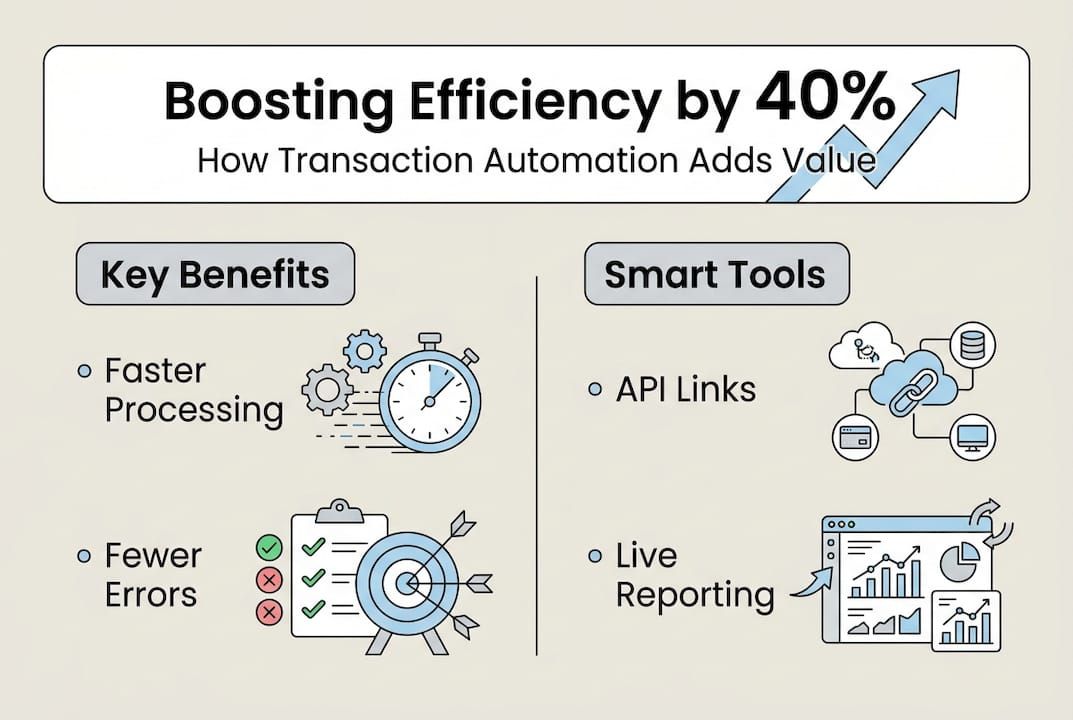
Compare automated transaction accuracy against manual processing benchmarks regularly. Track error rates, processing times, and correction costs for both approaches. Most organizations see automated error rates drop to less than 0.1% compared to 2-5% for manual processing, while processing times decrease by 60-80%. Document these improvements to justify continued investment and expansion of automation initiatives.
Essential monitoring activities:
- Review transaction processing metrics daily during initial deployment, then weekly as systems stabilize
- Analyze error patterns to identify workflow rules that need refinement or edge cases requiring special handling
- Monitor system performance under varying transaction volumes to identify capacity constraints before they impact operations
- Track staff time savings and redirection to higher-value activities as automation matures
- Conduct monthly reviews of automation ROI including cost savings, error reduction, and efficiency gains
Periodic audits verify that automated systems maintain compliance with regulatory requirements and internal controls. Schedule quarterly reviews of audit trails, access logs, and security configurations. Engage internal or external auditors to validate that automated processes produce compliant results and maintain adequate documentation. Address any findings promptly to prevent compliance issues from accumulating.
| Metric | Manual Processing | Automated Processing | Improvement |
|---|---|---|---|
| Average Processing Time | 45 minutes per transaction | 3 minutes per transaction | 93% reduction |
| Error Rate | 3.2% | 0.08% | 97% reduction |
| Cost Per Transaction | $12.50 | $1.80 | 86% reduction |
| Monthly Processing Capacity | 2,000 transactions | 15,000 transactions | 650% increase |
| Compliance Documentation | Manual collection, 15% gaps | Automatic, 100% complete | Full coverage |
Optimization focuses on refining workflow rules based on operational experience and changing business requirements. Review exception handling patterns to identify rules that are too restrictive or too permissive. Adjust approval thresholds, validation criteria, and routing logic as you learn how automated systems perform in practice. Small refinements compound into significant efficiency improvements over time.
Common issues require systematic troubleshooting approaches. Integration failures often stem from API changes, authentication expiration, or network connectivity problems. Transaction errors typically indicate data quality issues, validation rule mismatches, or unexpected edge cases. Performance degradation suggests capacity constraints, inefficient queries, or resource contention. Maintain detailed runbooks documenting symptoms, root causes, and resolution procedures for recurring issues.
Security practices must evolve as threats change and systems mature. Conduct annual penetration testing of automated financial systems to identify vulnerabilities before attackers exploit them. Review and update access controls quarterly to ensure only authorized personnel can modify workflows or access sensitive data. Implement financial software security practices that protect against emerging threats while maintaining operational efficiency.
Pro Tip: Create a continuous improvement team with representatives from finance, IT, and operations who meet monthly to review automation performance, prioritize enhancements, and share insights across departments. This cross-functional collaboration ensures automation evolves to meet real business needs rather than purely technical objectives.
Explore tailored automation solutions for your finance operations
Implementing financial transaction automation requires specialized expertise and proven technology platforms that understand enterprise requirements. Bitecode offers modular workflow automation solutions designed specifically for medium to large organizations seeking rapid deployment without lengthy development cycles. Our AI assistant module for automation adapts to your unique business rules while maintaining the security and auditability financial operations demand.
Start your automation journey with up to 60% of baseline systems pre-built, dramatically reducing time to value compared to traditional development approaches. Our custom financial software development expertise ensures solutions integrate seamlessly with existing ERP, accounting, and banking platforms while meeting regulatory compliance requirements. Whether you need automated invoice processing, payment workflows, or comprehensive financial transaction management, our modular approach delivers tailored solutions that scale with your organization’s growth and evolving needs.
Frequently asked questions
What are the common challenges in automating financial transactions?
Integration complexity with legacy systems, ensuring data security and compliance, and managing change resistance from staff represent the primary challenges organizations face. System compatibility issues arise when older platforms lack modern APIs or use proprietary data formats. Security concerns intensify because automated systems process sensitive financial data at scale, requiring robust encryption, access controls, and audit capabilities. Staff may resist automation due to job security fears or discomfort with new technologies, making change management as critical as technical implementation.
How can I ensure compliance when automating financial transactions?
Implement comprehensive audit logging that captures every transaction, system action, and data modification with timestamps and user attribution. Configure automated validation rules that enforce regulatory requirements like segregation of duties, approval hierarchies, and transaction limits before processing occurs. Schedule regular compliance audits comparing automated processes against regulatory standards, and update systems promptly when regulations change. Maintain detailed documentation of workflow logic, security controls, and data handling procedures that auditors can review to verify compliance.
What technologies integrate best with existing financial systems for automation?
REST APIs provide the most flexible integration approach, enabling automated systems to exchange data with ERP platforms, accounting software, and banking systems using standard protocols. Middleware platforms can bridge legacy systems lacking native APIs by translating between proprietary formats and modern integration standards. AI-powered automation tools adapt to varying data formats and business rules without extensive custom coding. Blockchain technology offers tamper-proof transaction records for applications requiring enhanced security and auditability, though implementation complexity remains higher than traditional approaches. Evaluate financial software development options based on your specific system landscape and integration requirements.
What are best practices for training staff on new automated financial systems?
Provide hands-on training using realistic transaction scenarios in a safe test environment where mistakes have no consequences. Develop role-specific training materials that focus on tasks each staff member will actually perform rather than comprehensive system overviews. Communicate automation benefits clearly, emphasizing how it eliminates tedious manual work and creates opportunities for more strategic contributions. Offer ongoing support through dedicated help resources, regular refresher sessions, and accessible documentation that staff can reference when questions arise. Identify automation champions within each department who receive advanced training and provide peer support during the transition period.
Recommended
- Automation – speed up processes in your company | AI software development
- Create Finance App — Accounting Module, Audit & Subscriptions | Custom software development
- AI Assistant Module — Bitecode | AI chat interface for workflow automation
- AI assistant for financial and legal teams | Bitecode
- Smile and Pay TPE | Shifter


