Speed
Teams spend less time on repetitive tasks
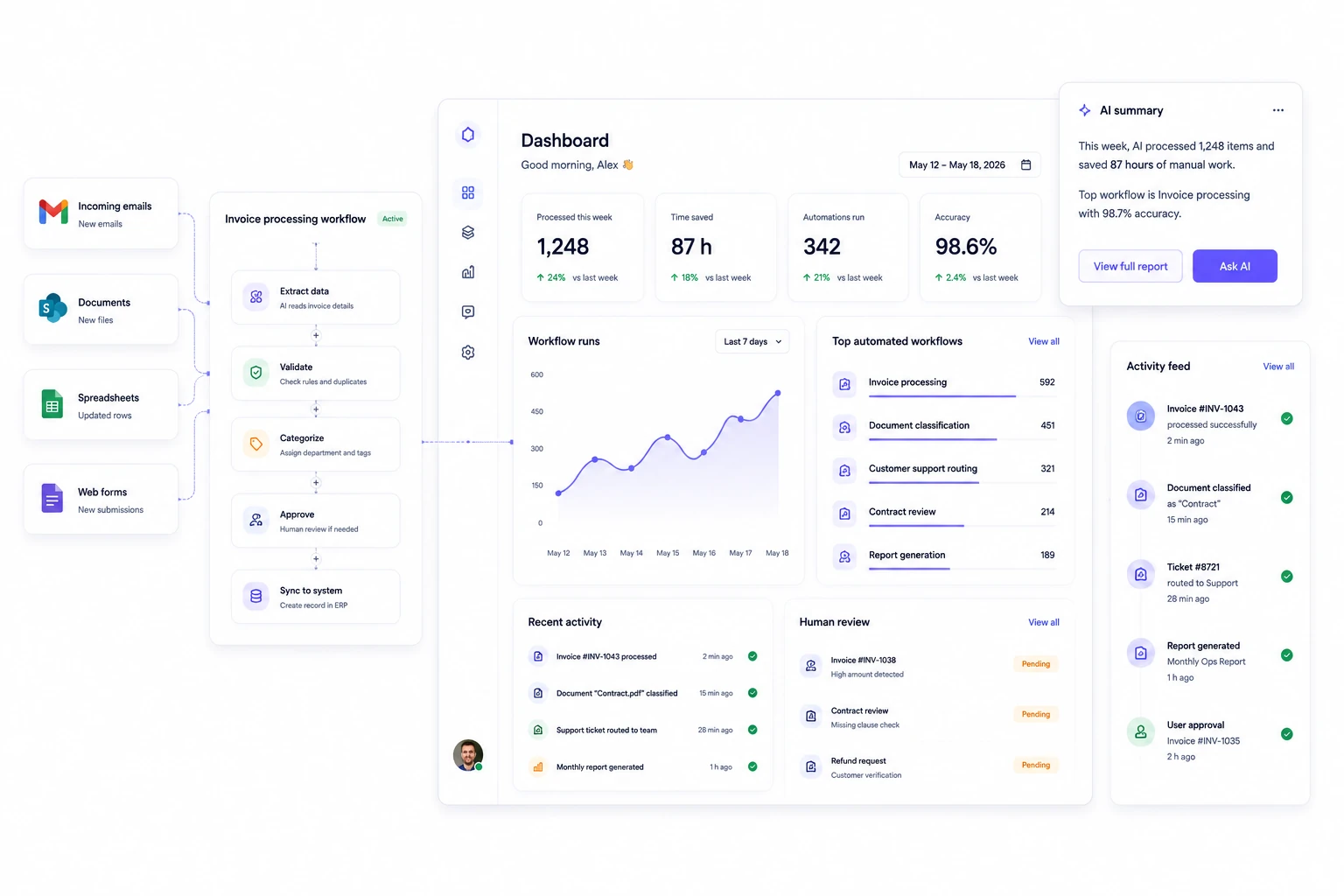
AI can sort requests, summarize information, prepare drafts, classify documents, and route work automatically.











| Area | AI experiment | AI workflow system |
|---|---|---|
| Business workflow | Manual copy-pasting between tools | AI works directly inside the process |
| Documents and emails | Employees manually review everything | AI sorts, extracts, summarizes, and routes automatically |
| Operational work | Teams repeat the same tasks every day | Repetitive workflows become automated |
| Safety | Unclear permissions and unpredictable outputs | Human review, approvals, logs, and controlled actions |
| Business value | Interesting demo without measurable impact | AI tied to operational efficiency and saved time |
| Experiment vs workflow AI workflow system | ||
|---|---|---|
| Business workflow | Manual copy-pasting between tools | AI works directly inside the process |
| Documents and emails | Employees manually review everything | AI sorts, extracts, summarizes, and routes automatically |
| Operational work | Teams repeat the same tasks every day | Repetitive workflows become automated |
| Safety | Unclear permissions and unpredictable outputs | Human review, approvals, logs, and controlled actions |
| Business value | Interesting demo without measurable impact | AI tied to operational efficiency and saved time |
The biggest AI gains usually come from reducing repetitive operational work, improving response times, and helping teams process information faster without increasing headcount.
Speed
AI can sort requests, summarize information, prepare drafts, classify documents, and route work automatically.
Operations
Operational workflows become easier to manage when AI helps process emails, tickets, approvals, reports, and internal requests.
Consistency
AI workflows follow defined rules, categories, approval paths, and business logic instead of relying only on manual handling.
Control
Permissions, review steps, and audit visibility help AI remain useful, predictable, and safe for operational use.
We design AI workflows with human oversight, controlled permissions, approval paths, and clear operating boundaries so your team can trust the system in day-to-day work.
We define what AI can prepare, suggest, automate, escalate, or approve before it reaches production users.
Sensitive actions can require review, confidence checks, approvals, or escalation before anything important happens.
AI uses your documents, systems, operational data, and internal workflows instead of generic disconnected prompts.
Your team can track decisions, prompts, outputs, actions, and workflow history when transparency matters.
Models, prompts, and integrations can evolve over time without rebuilding the entire workflow.
We monitor workflow quality, improve reliability, tune AI behavior, and help identify the next automation opportunity.
We can help you identify repetitive workflows and design a safe first automation.
We start by understanding where your team loses time, which tasks repeat most often, and where AI can safely support the workflow without adding operational risk.
We identify repetitive workflows, manual processing, operational bottlenecks, and places where AI could save measurable time.
We test the workflow using real examples, edge cases, business rules, and approval requirements before automation goes live.
We connect AI to your inboxes, CRM, APIs, documents, internal systems, and operational workflows.
We add permissions, human review, confidence thresholds, audit visibility, and fallback behavior where needed.
After launch, we improve prompts, optimize workflows, monitor quality, and expand automation where it creates additional value.
AI works best when the workflow is repeated, structured, and operationally valuable. If the process changes every week or lacks clear rules, simplifying the workflow first may create more value than adding AI immediately.
We will identify automation opportunities, design the workflow, and launch an AI solution connected to your real business operations.

Bitecode co-founder
