Self-hosted enterprise software is software your organization runs inside its own trust boundary, on infrastructure it controls, instead of consuming it as a multi-tenant service from a vendor’s environment. That infrastructure can be a data center, a colocation cage or a private cloud account. The real decision is rarely “self-hosted or not.” It is how much operational responsibility you want to hold, and what you get in return: control over data, predictable architecture and freedom from a vendor’s roadmap.
This guide explains the models, the trade-offs and the questions a US company should answer before it commits.
TL;DR
- Self-hosted means the software runs on infrastructure you control, whether on-premises or in a private cloud, rather than in a vendor’s shared SaaS environment.
- A private cloud is a single-tenant environment that can sit on or off premises, so “private cloud vs on-prem” is a question of operating model, not only location.
- Before you commit, assess security, staffing, compliance, scalability and the full life-cycle cost, including the cost of leaving.
- Modular, pre-built foundations shorten the path to a self-hosted system without giving up ownership of code, data or deployment.
- Choose the deployment model from your objectives and data placement criteria, then pilot with one workload.
What self-hosted enterprise software actually means
In a vendor-hosted SaaS model, many customers share the provider’s infrastructure and the provider handles updates, scaling and uptime. In a self-hosted model, the application runs in an environment your organization controls. Your team, a partner or both then operate it.
That last point matters. Self-hosted does not automatically mean “your engineers do everything.” Three operating patterns are common:
- Customer-operated. Your team handles infrastructure, patching, monitoring, backups and incident response.
- Partner-operated. A software provider or integrator runs the system inside your environment under an agreed service level.
- Shared. The vendor manages the application layer while you own the network, identity and data layers.
The reason enterprises pick any of these is usually the same: they want to decide where data lives, who can reach it and when changes ship. Regulated industries, financial institutions and companies with sensitive intellectual property tend to weigh this more heavily than a startup choosing its first CRM.
For the SaaS side of the comparison, our overview of the enterprise SaaS definition covers what IT leaders give up and gain with multi-tenant delivery.
Private cloud vs on-premises: the distinction that matters
Searches for “private cloud vs on-prem” are more common than searches for self-hosting itself, and the confusion is understandable. The terms overlap.
On-premises infrastructure sits physically inside an organization’s facility. According to Microsoft’s cloud computing dictionary, it becomes a private cloud when it adopts cloud technologies such as virtualization, automation and self-service provisioning, and a private cloud may be located on or off premises. The National Institute of Standards and Technology describes a private cloud as provisioned for exclusive use by a single organization, and notes that it may be owned, managed and operated by that organization, a third party or a combination, again on or off premises.
In practice that gives you a useful comparison:
| Criterion | Traditional on-premises | Private cloud | Vendor-hosted SaaS |
|---|---|---|---|
| Tenancy | Single organization | Single organization | Multi-tenant |
| Provisioning | Often manual, fixed capacity | Automated, self-service | Handled by vendor |
| Location | Your facility | Your facility, colocation or hosted | Vendor’s infrastructure |
| Who operates it | Your team | You, a third party or both | Vendor |
| Data control | Highest | High | Contractual |
| Elasticity | Limited by hardware | Good within provisioned capacity | High |
| Upfront effort | Hardware and staff | Platform tooling and orchestration | Low |
The takeaway: a private cloud gives you the isolation and control of self-hosting with more of the elasticity of cloud operations. It still needs dedicated capacity and orchestration tooling, so it is an engineering commitment, not a checkbox.
Why organizations choose to self-host
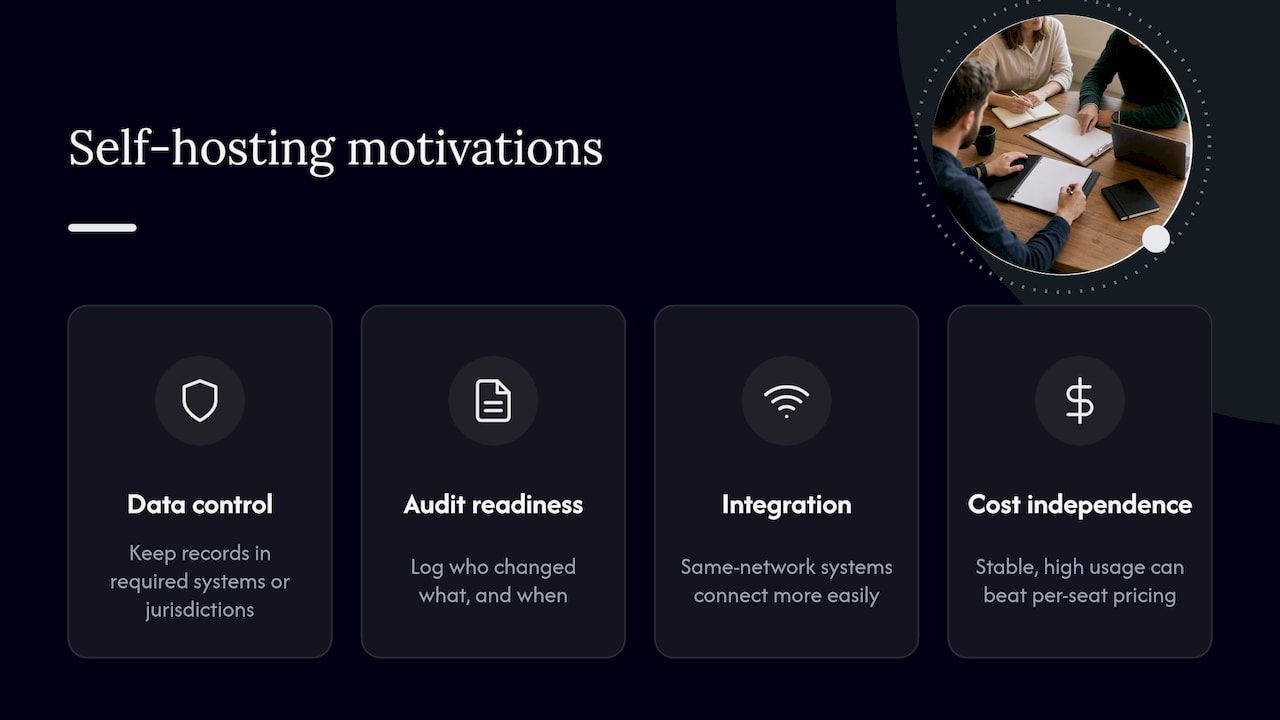
Four motivations come up repeatedly in enterprise buying conversations.
Data control and residency. Some organizations must keep records within specific systems or jurisdictions, or want to restrict who, including vendor staff, can touch production data.
Audit readiness. Financial and regulated workloads often need clear evidence of who changed what, when. A system you host can be configured to emit the logs your auditors expect, and retain them as long as your policy requires.
Integration depth. Systems tied closely to internal databases, identity providers and legacy platforms are easier to connect when they sit on the same network. Our enterprise software integration guide goes deeper on that work.
Long-term cost and independence. When usage is high and stable, owning the stack can beat per-seat or per-transaction pricing. It also reduces exposure to a vendor changing terms or retiring a product.
None of these is automatic. Each depends on whether your organization can actually run the system well, which is the subject of the next section.
What to assess before you self-host
The Cloud Standards Customer Council’s practical guide to hybrid cloud recommends placing applications and data according to criteria such as flexibility, security, speed, cost, control, locality, service levels and system interdependencies, while addressing integration, governance, security, management and disaster recovery. That list translates into six working questions.
1. Security ownership
Self-hosting moves security responsibility to you. Patching, network segmentation, identity, secrets management, logging and incident response all become your job or your partner’s. If your security program is mature, this is an advantage because you can enforce your own standards. If it is thin, a hosted service may carry less risk until you close the gap.
An independent architecture review before go-live is a sensible control. A specialist such as a cybersecurity consulting team offering security architecture reviews can test segmentation, identity hardening and cloud configuration against your threat model before real data arrives.
2. Software supply chain
When you host the software, you also host its dependencies. NIST’s cloud guidance stresses documenting third-party and open-source components. For federal procurement, OMB memorandum M-23-16 requires agencies to collect attestations from software producers, whose secure development practices include maintaining provenance data for internal and third-party code. Even if you are not a federal agency, asking a supplier for the same evidence is a reasonable baseline: a component inventory, a patch process and a record of how builds are produced.
Our guide to secure software deployment walks through the pipeline controls behind those answers.
3. Staffing and operations
Someone must be on call. Backups, restores, upgrades, capacity planning and monitoring need named owners. Smaller IT teams often cover the gap with a co-managed arrangement, where an outside team shares day-to-day operations with internal staff. This co-managed IT services model is one way to keep control of the environment while adding round-the-clock coverage.
4. Compliance
Map the software to the frameworks that apply to you, whether that is SOC 2, PCI DSS, HIPAA or state privacy laws, and decide which controls you will inherit from your hosting layer and which you must implement. Our enterprise security compliance checklist is a good working document for that mapping.
5. Scalability and resilience
Decide in advance what downtime and data loss are acceptable, then check that your environment can meet those targets. Forrester’s research on large enterprises succeeding with low-code lists scale, acceptable downtime and data loss, independent audits and security certifications, and support for current technology among the enterprise requirements for such platforms. The same list works as a checklist for any self-hosted system.
6. Total cost over the life cycle
NIST advises assessing all costs of operation, compliance and security, including the costs of migrating to a cloud and, if necessary, away from it. Its ITL bulletin on cloud computing makes the same point: avoiding large capital expenditure can look attractive, but only a careful analysis of life-cycle and security costs shows whether overall cost truly falls. Build a three-to-five-year model that includes hardware or cloud capacity, licensing, staff time, audits, backups, disaster recovery and exit.
Where low-code fits in a self-hosted stack
Searches for low-code business apps and self-hosted low-code point to a real pattern: companies want the speed of visual or component-based development without handing their data to a black-box platform.
Forrester’s survey work shows large enterprises using low-code for new digital business initiatives, sales and customer engagement, compliance, customer service and process automation. Those are workflow-heavy domains where much of the code is repetitive: forms, approvals, roles, notifications, integrations and reporting.
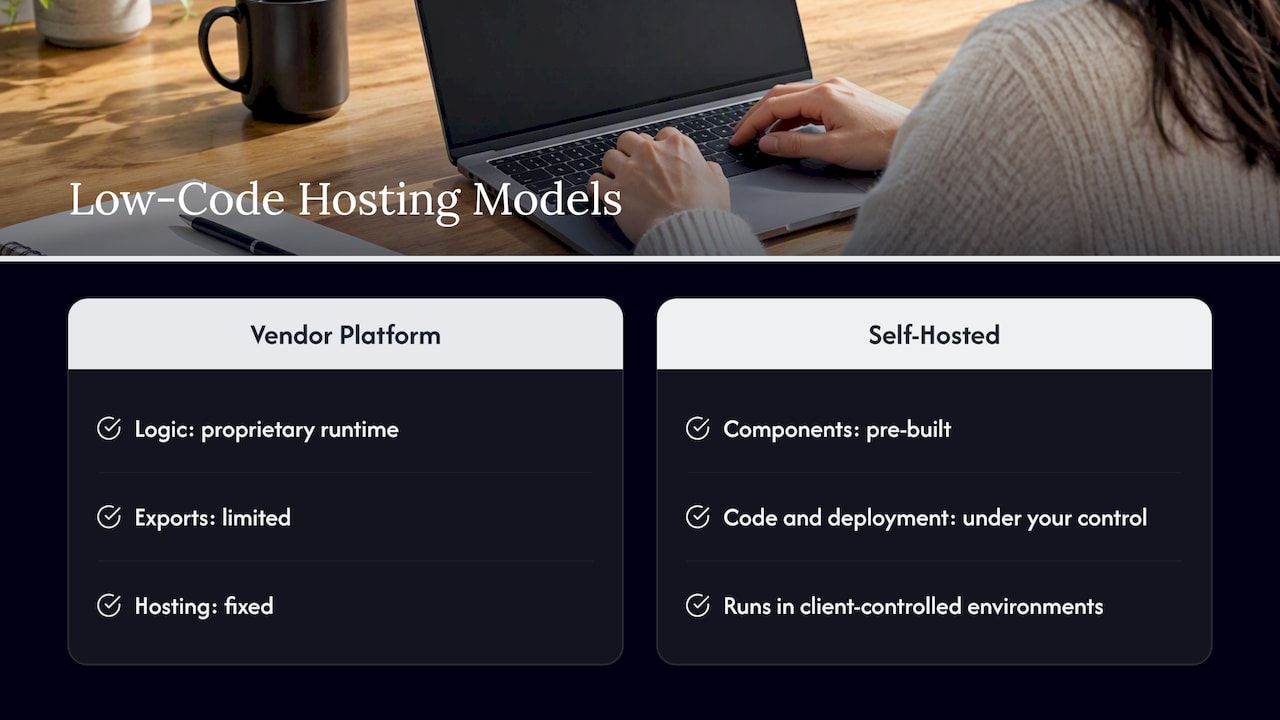
The risk with some low-code platforms is that they relocate complexity into the vendor relationship. Logic lives in a proprietary runtime, exports are limited and hosting is fixed. A self-hosted, modular approach reverses that. Pre-built components handle the repeatable parts, while the code and deployment stay under your control. Our business software selection checklist includes questions on portability and exit that apply here.
Our perspective
We build business systems for organizations that cannot treat their software as a rented black box: financial workflows, blockchain settlement, AI-assisted operations and internal platforms where audit trails and data location are not negotiable.
Our view is that the choice between slow custom development and rigid off-the-shelf tools is a false one. Starting from modular, ready-made components lets a team begin with a large share of the baseline system already in place. We claim up to 60% pre-built on suitable projects, so engineering effort goes into business-domain complexity instead of boilerplate such as authentication, roles, ledgers and integrations.
We also think self-hosting should be a deliberate design property, not an afterthought. Our modules, including financial processing, CRM, automation, AI assistant and token components, are designed to run in client-controlled environments, with multi-currency handling and audit-ready records. That lets companies accelerate work without accelerating chaos: they keep ownership of code and data while avoiding a greenfield build from zero.
The honest trade-off is that control comes with responsibility. We help clients size that responsibility early, so the deployment model matches the team that will run it.
Bitecode
How to choose a deployment model
The Cloud Standards Customer Council guide suggests a sequence that holds up well in enterprise planning: identify your objectives, align deployment with your IT strategy and future architecture, inventory applications and data, then choose placement against your criteria. NIST similarly asks organizations to consider which deployment and service models suit their economic, operational and security requirements.
A practical version:
- Write the objective in business terms. For example, “settle partner payments with a full audit trail” rather than “move to private cloud.”
- Inventory data and workloads. Classify what is regulated, what is sensitive and what is routine.
- Score each workload on security, control, locality, speed, cost and service level needs. Weight the criteria honestly.
- Match to a model. Highly regulated or integration-heavy systems often point to self-hosted or private cloud. Commodity tools often fit SaaS.
- Decide who operates. Internal team, partner or shared, with named owners for backups, patching and incidents.
- Pilot one workload. Measure operational effort, not only performance, before you move the rest.
Most enterprises end up with a mix. A hybrid arrangement, with sensitive systems self-hosted and everyday tools on SaaS, is common and perfectly rational. The enterprise software best practices we publish cover how to keep such a mix coherent.
Building self-hosted systems with Bitecode
If your shortlist includes a system that must live in your own environment, we can scope it with you. We deliver custom business software and advanced cloud applications built from modular components, including AI, financial, automation, CRM and blockchain modules that you can review on our modules page.
Tell us the workflow, the compliance constraints and where the system has to run. We will propose a scoped engagement from our main page, starting with a small MVP or a larger program, depending on your needs.
FAQ
Is self-hosted software the same as on-premises software?
Not exactly. On-premises means the infrastructure sits in your facility. Self-hosted means the software runs in an environment you control, which can be on-premises, in a colocation facility or in a private cloud account. Many self-hosted systems today run in a private cloud rather than a server room.
Is a private cloud more secure than SaaS?
It gives you more control over isolation, access and data location, but security depends on how well it is operated. A well-run private cloud can meet stricter requirements than a shared service. A poorly patched one can be riskier. Review your own security maturity before deciding.
Can low-code platforms be self-hosted?
Yes, though it depends on the platform. Some low-code products run only in the vendor’s cloud, while others can be deployed in your own infrastructure. Ask about hosting options, code and data export, and the licensing terms for self-hosted use before you choose.
What does self-hosting cost?
It varies with the system, the infrastructure and the staff you need. Model infrastructure, licensing, operations, security, audits, disaster recovery and exit costs over several years, as NIST recommends, and compare that total with the subscription alternative.
Do we need a large IT team to self-host?
You need clear ownership of operations, not necessarily a large team. Many organizations combine a small internal group with a partner for monitoring, patching and incident response, so the system stays under their control without overloading staff.
Sources
- What are public, private, and hybrid clouds? (Microsoft Azure)
- NIST Special Publication 800-146, Cloud Computing Synopsis and Recommendations
- Practical Guide to Hybrid Cloud Computing
- OMB Memorandum M-23-16, Enhancing the Security of the Software Supply Chain
- NIST ITL Bulletin, Cloud Computing: A Review of Features, Benefits and Risks
- Large Enterprises Succeeding With Low-Code (Forrester)