
TL;DR:
- API integration connects separate software systems to enable automatic data sharing and workflow automation. It significantly enhances business agility, reduces errors, and increases revenue by leveraging real-time system connectivity. Proper planning, security, and governance are essential to maximize its strategic benefits and prevent technical debt.
API integration is the process of connecting separate software systems through their Application Programming Interfaces so they can exchange data and trigger actions automatically. Without it, every system in your stack operates as an island. With it, platforms like Salesforce, Stripe, and Slack can share data in real time, execute workflows across organizational boundaries, and reduce the manual effort that slows teams down. API-first organizations generate over 25% of total revenue directly through their API ecosystems. That number tells you this is not a developer convenience. It is a business capability.
What is API integration and how does it differ from an API?
An API (Application Programming Interface) is a defined contract that specifies how one piece of software exposes its functions to another. API integration is the implementation of that contract. The API is the specification. The integration is the live connection you build and maintain between two or more systems using that specification.

Think of an API as a power outlet standard. The integration is the act of plugging your device in and configuring it to work with your specific electrical system. MuleSoft, Zapier, and IBM all provide tooling to manage these connections at scale, but the underlying concept applies whether you are writing custom code or using a no-code platform.
This distinction matters for teams planning a project. You can have a well-documented API and still build a brittle integration if you ignore authentication, error handling, and data format consistency. The API gives you the door. The integration determines whether it stays open reliably.
How does API integration work?
API integration operates on a request-response cycle. One system (the client) sends a structured request to another system’s endpoint. The receiving system (the server) processes that request and returns a response, typically in JSON or XML format. Modern API exchanges complete in milliseconds or seconds, which is why they outperform manual data entry and nightly batch processes by a wide margin.
Here is the sequence most integrations follow:
- Trigger: An event occurs in System A (a new order is placed in Shopify).
- Request: System A sends an HTTP request to System B’s API endpoint (a fulfillment platform).
- Authentication: The request includes credentials, typically an API key or an OAuth token, to verify identity.
- Processing: System B validates the request, executes the logic, and prepares a response.
- Response: System B returns a status code and data payload. System A reads the result and updates its own records.
Authentication complexity is consistently underestimated. API keys are simple but offer limited control. OAuth 2.0 provides token-based access with scopes and expiration, which is the standard for production integrations involving user data. Teams that skip proper auth design create security gaps that are expensive to fix later.
Pro Tip: When building a new integration, map out the authentication flow before writing a single line of business logic. Retrofitting secure auth into an existing integration is far more disruptive than designing it correctly from the start.
For teams managing many integrations, Integration Platform as a Service (iPaaS) tools like MuleSoft Anypoint Platform or Workato provide centralized orchestration, real-time monitoring, and governance. iPaaS platforms prevent the kind of unmanaged API sprawl that turns a clean architecture into a maintenance burden.
What are the key benefits of API integration?
The business case for API integration is concrete, not theoretical. Here are the outcomes organizations consistently see:
- Faster development cycles. Integrating pre-built API services reduces development timelines from months to days by substituting complex custom builds with existing functions for tasks like payment processing, identity verification, or mapping.
- Improved data accuracy. Well-designed integrations reduce data handoff errors and create a single source of truth across business systems. Manual re-entry is eliminated, and records stay synchronized.
- Real-time business agility. When your CRM, ERP, and support platform share live data, your teams make decisions on current information rather than yesterday’s export.
- Reduced operational cost. Automating data flows between systems removes repetitive human tasks. That labor redirects to higher-value work.
API integration acts as the connective tissue that removes data silos and enables efficient enterprise workflows. It is the foundation of digital business agility, not an optional add-on. — IBM
The revenue impact is significant. 43% of fully API-first organizations generate more than 25% of their total revenue through API ecosystems. That figure reflects companies that have moved beyond internal automation and turned their APIs into external products and partnerships. Understanding why integration drives ROI in 2026 starts with recognizing that connected systems compound in value over time.
What are the common types of API integration?
Not all integration approaches carry the same trade-offs. Choosing the wrong pattern early creates technical debt that compounds as your system grows.
| Integration Type | Best For | Key Trade-off |
|---|---|---|
| Point-to-point | Simple, two-system connections | Becomes unmanageable at scale (API sprawl) |
| Middleware / iPaaS | Multi-system enterprise environments | Adds vendor dependency and platform cost |
| RESTful API | Web and mobile applications | Requires consistent endpoint design discipline |
| SOAP API | Legacy enterprise and financial systems | Verbose, but offers strict contract enforcement |
| GraphQL | Flexible data querying across services | Higher implementation complexity upfront |
Point-to-point integrations are the most common starting point. A team connects System A to System B directly. This works fine for two or three connections. At ten or twenty, you have API sprawl. Each connection is a custom implementation with its own error handling, authentication, and maintenance burden. One system change can cascade failures across multiple integrations.
Middleware and centralized platforms solve this by routing all connections through a single layer. MuleSoft and Workato both follow this model. The trade-off is that you relocate complexity into the vendor relationship rather than eliminating it.
Pro Tip: RESTful APIs dominate modern web development, but if you are connecting to a bank, insurer, or government system, expect SOAP. Build your integration layer to handle both formats rather than assuming REST everywhere.
API integration also differs fundamentally from Robotic Process Automation (RPA). API connections interact at the data layer, making them resilient to UI changes. RPA tools scrape and interact with user interfaces, which means a button rename or layout update can break the automation. For stable, long-term integrations, API connections are the more reliable choice.
How is API integration applied in real-world workflows?
Theory becomes clear when you see it in practice. Here are the scenarios where API integration delivers the most direct value.
E-commerce operations depend on API integration to function at any meaningful scale. When a customer places an order on a Shopify storefront, API calls fire in sequence: Stripe processes the payment, the warehouse management system receives the fulfillment request, and the CRM logs the customer interaction. Each step is automated, and the entire chain completes in seconds.
Enterprise system modernization is where API integration connects legacy systems with modern cloud applications. A manufacturer running an on-premises ERP from the early 2000s can expose its data through a REST API layer without replacing the core system. That layer connects to a modern analytics platform, a cloud-based HR system, and a customer portal. The legacy system stays in place. The business gains the connectivity it needs. This approach to enterprise system integration avoids the cost and risk of full system replacement.
AI-driven workflow orchestration is the emerging frontier. AI models like those built on OpenAI’s API or Anthropic’s Claude API can be integrated into business workflows to classify support tickets, generate draft responses, or analyze financial data. The AI model becomes one node in a larger integration graph, receiving inputs from one system and passing outputs to another.
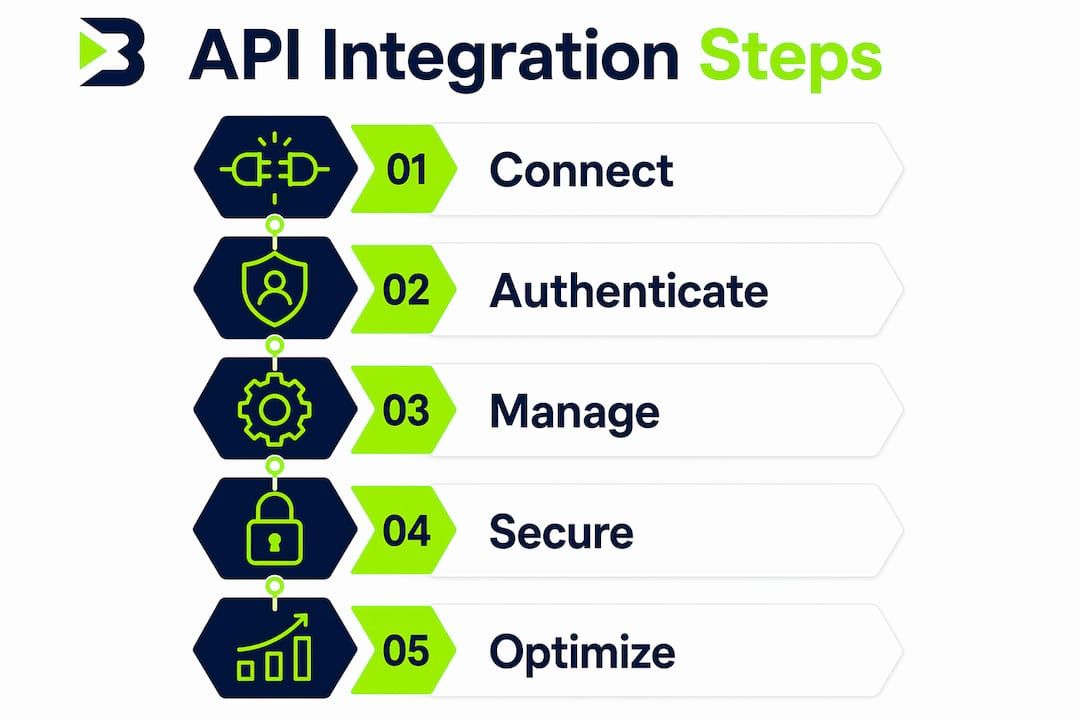
To start integrating APIs effectively, follow this sequence:
- Identify the highest-friction manual handoff in your current workflow.
- Confirm both systems expose APIs with the data you need.
- Design the authentication and error-handling strategy before building.
- Build a minimal working connection and test it with real data.
- Add monitoring and alerting before moving to production.
Pro Tip: Use development practices that reduce rework from the start. Designing for modularity in your integration layer means adding a new system later requires configuration, not a rebuild.
Security and governance belong in every integration design from day one. Rate limiting, token expiration, and access scoping are not optional hardening steps. They are baseline requirements for any integration that touches customer data or financial transactions.
Key takeaways
API integration is the implementation layer that turns isolated software systems into a coordinated, automated architecture. Without centralized governance, even well-built integrations become a liability as they scale.
| Point | Details |
|---|---|
| API vs. API integration | An API defines the contract; the integration is the live, maintained connection between systems. |
| Request-response cycle | Every integration follows a trigger, request, authentication, processing, and response sequence. |
| Business revenue impact | 43% of API-first organizations generate over 25% of revenue through their API ecosystems. |
| Integration type selection | Point-to-point works at small scale; iPaaS platforms are required for multi-system enterprise environments. |
| Security is non-negotiable | Authentication design, rate limiting, and access scoping must be built in from the start, not added later. |
API integration is a strategic decision, not just a technical one
From Bitecode’s experience working with medium and large organizations on custom enterprise systems, the most common failure mode is not technical. Teams build functional integrations and then treat them as set-and-forget infrastructure. Six months later, a vendor updates their API, a token expires without alerting anyone, or a new system gets added through a direct point-to-point connection that bypasses the existing integration layer entirely.
The organizations that get the most value from API integration treat it as a managed business capability, not a one-time development task. That means assigning ownership, maintaining documentation, and reviewing the integration architecture when the business changes direction. It also means executive sponsorship. When integration is seen as a developer concern only, it gets underfunded and under-governed.
The security dimension is equally underappreciated. Bitecode consistently sees teams that handle authentication correctly in development and then cut corners in production. An exposed API key in a public repository or an OAuth token with overly broad scopes is not a hypothetical risk. It is a recurring incident pattern.
The practical advice is this: before you build the next integration, ask who owns it after launch. If the answer is unclear, the architecture will reflect that ambiguity.
— Bitecode
Build smarter workflows with bitecode’s AI integration module
API integration becomes significantly more powerful when it includes AI-driven decision-making at key workflow nodes. Bitecode’s AI Assistant Module connects directly to your existing enterprise systems through pre-built API connectors, enabling intelligent automation across CRM, financial processing, and operational workflows without building from scratch.
Bitecode starts projects with up to 60% of the baseline system pre-built, which means your team spends time on business-domain logic rather than boilerplate integration code. The AI module supports real-time data exchange, natural language interfaces, and workflow orchestration across multiple platforms. For organizations that need to move fast without accumulating technical debt, this modular approach accelerates work without accelerating chaos. Explore the AI Assistant Module to see how it fits your integration architecture.
FAQ
What is API integration in simple terms?
API integration is the process of connecting two or more software systems through their APIs so they can automatically share data and trigger actions without manual intervention.
How does API integration differ from building a custom integration from scratch?
API integration uses existing, documented endpoints that a system already exposes. Building from scratch means creating those endpoints and the communication logic yourself, which takes significantly longer and carries higher maintenance cost.
What is the difference between REST and SOAP API integration?
REST is lightweight, uses standard HTTP methods, and is the dominant choice for modern web and mobile applications. SOAP is a stricter, XML-based protocol used primarily in legacy enterprise and financial systems where contract enforcement is critical.
Why do API integrations fail in production?
The most common causes are inadequate authentication design, missing error handling, and no monitoring for token expiration or rate limit violations. Authentication complexity is consistently underestimated during the planning phase.
What is iPaaS and when should teams use it?
iPaaS (Integration Platform as a Service) is a centralized platform for managing multiple API connections, providing orchestration, monitoring, and governance. Teams should adopt iPaaS when managing more than five to seven integrations, as point-to-point connections become unmanageable beyond that threshold.


