
TL;DR:
- Customizable workflows enable organizations to tailor process stages, logic, and automation to their specific needs. They improve adoption, reduce manual errors, and support growth without reconstructing workflows. Effective implementation requires careful process mapping, strict governance, and selecting platforms with flexible, broad integration capabilities.
A customizable workflow is a configurable sequence of tasks, rules, and automated actions that organizations adapt to match their specific operational processes rather than forcing teams to conform to a fixed system. Unlike rigid, predefined workflows built around a vendor’s assumptions, customizable workflows let companies define their own stages, routing logic, approval chains, and data fields. Tools like MeisterTask, Zapier, and Kissflow have made this level of configuration accessible to non-technical teams. The result is a process architecture that reflects how work actually moves through an organization, not how a software vendor imagined it might.
What is a customizable workflow, and how does it differ from standard workflows?
A customizable workflow is defined as any process sequence where the stages, conditions, participants, and automation rules are configurable by the organization using it. The industry term for this category is adaptive workflow management, and it sits in contrast to static workflow templates that offer cosmetic changes but no structural flexibility.
Standard workflows ship with predefined steps. A procurement team using a rigid platform must route every purchase request through the same approval chain, regardless of order size or vendor type. A customizable system lets that same team build conditional logic: orders under $5,000 auto-approve, orders above $50,000 escalate to the CFO, and international vendors trigger a compliance review. That branching logic is the defining feature of true customization.
Workflow failure rates are significantly tied to secondary tracking tools. When teams cannot configure a workflow to match their process, they default to spreadsheets and email threads to fill the gaps. Customizable systems eliminate that workaround by meeting teams where their process actually lives.
The distinction also matters for scalability. A workflow that fits today’s five-person team but cannot be restructured when the team grows to fifty becomes a liability. Customizable systems are designed to evolve alongside the organization, which is why decision-makers increasingly treat workflow flexibility as a procurement requirement rather than a nice-to-have.
Key features that define customizable workflows
The depth of customization available in a workflow platform determines whether it can handle real business-domain complexity or only surface-level adjustments. Six features separate genuinely flexible systems from those that merely appear configurable.
- Adaptable stages and steps. Teams can add, remove, reorder, or rename process stages without developer involvement. A customer onboarding workflow might need a legal review step added mid-process. A true customizable system handles this in minutes.
- Custom fields and rules. Beyond standard data inputs, teams define fields unique to their operations: contract value tiers, regional compliance flags, or product SKU categories. These fields drive routing decisions and reporting.
- Configurable triggers and actions. Automation fires based on conditions teams define. A trigger might be “invoice approved” and the action “notify accounts payable and update ERP record.” Editable workflows that allow swapping apps and changing logic reduce the risk of abandoning automation when processes shift.
- Logic and branching. If/then conditions and multi-path routing are the backbone of sophisticated workflows. A support ticket workflow might branch based on issue severity, customer tier, and product line simultaneously.
- Integration breadth. Broad integration libraries that support niche and internal tools beyond popular apps improve process fidelity. A workflow that only connects to Salesforce and Slack will fail organizations running SAP, Oracle, or proprietary internal systems.
- Editable automation. The ability to modify a live workflow without rebuilding it from scratch is a critical differentiator. Process evolution is constant, and tools that make editing painful accelerate work without accelerating chaos.
Pro Tip: Before evaluating any workflow platform, map your three most complex processes on paper first. If the tool cannot replicate those processes without approximation, it lacks the customizability your organization needs. Zapier describes this as the core test for true customizability: whether core processes can be implemented without painful workarounds.
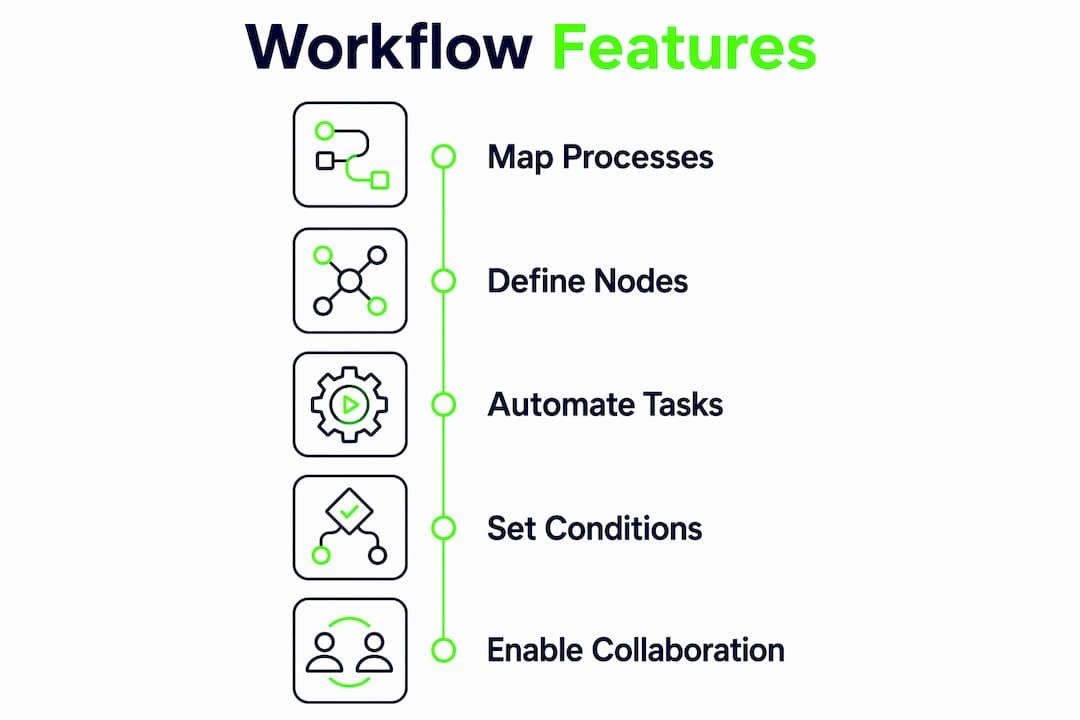
The most consequential architecture decision for workflow editors is how node types are defined and extended to represent user actions and decisions. Platforms that expose this layer to configuration give organizations far more control than those that treat it as a black-box platform concern.
Benefits of customizable workflows for business operations
The operational case for workflow customization is grounded in measurable outcomes, not abstract efficiency claims. Four benefits consistently surface across organizations that make the transition from rigid to adaptive systems.
“Workflows must balance adaptability with consistency; too much freedom can fragment processes, too little reduces adoption.” — MeisterTask
Higher employee adoption. When a workflow mirrors how a team actually works, adoption follows naturally. Teams stop maintaining parallel spreadsheets and email chains because the system handles what they need. Customizable workflows improve adoption by letting teams define their own stages and logic rather than adapting to a vendor’s assumptions.
Reduced manual work and error rates. Automation paired with customization eliminates redundant steps and bottlenecks. Notifications and validation rules catch mistakes early and keep tasks moving without manual intervention. A finance team that previously reconciled approvals manually across three systems can consolidate that into a single configured workflow.

Clearer accountability and task handoffs. Role-based routing means every task lands with the right person at the right time. There is no ambiguity about who owns a step, and audit trails make accountability visible. This is particularly valuable in regulated industries where process documentation is a compliance requirement.
Scalability without rebuilding. Organizations that grow or restructure do not need to abandon their workflow infrastructure. Configurable systems absorb new teams, new approval tiers, and new integration requirements without greenfield development. For enterprise automation at scale, this adaptability is the difference between a workflow that supports growth and one that obstructs it.
Common customization options and how to implement them effectively
Knowing what can be customized is only half the equation. Implementing those options without creating fragile or inconsistent processes requires a deliberate approach.
-
Define the execution model first. Before configuring any UI element or automation rule, map how data moves between steps. Failing to plan data flow leads to fragile workflows and misaligned task handoffs. Identify what data each step produces, what the next step requires, and where transformations occur.
-
Restrict configuration permissions initially. Not every team member should have the ability to modify a live workflow. Allowing unrestricted modification increases the risk of inconsistent processes and broken automation chains. Assign configuration rights to trained process owners and expand access incrementally.
-
Use structured configuration panels for complex nodes. For workflows with sophisticated logic, JSON Schema-driven configuration panels create a single source of truth that drives validation, UI controls, and documentation simultaneously. This approach reduces configuration errors and makes onboarding new administrators faster.
-
Configure conditional logic through rule builders. Most modern platforms offer visual rule builders or expression editors for if/then logic. Use these to encode business rules directly into the workflow rather than relying on human judgment at each step. Common examples include approval thresholds, escalation triggers, and SLA breach notifications.
-
Iterate frequently. A workflow configured today will need adjustment in three months. Build a review cadence into your process governance so workflows evolve with the business rather than calcifying around outdated assumptions.
Pro Tip: Workflow-level variables that centralize global settings like time zones, currency formats, or approval thresholds reduce inconsistent configurations across nodes. Set these at the workflow level, not the step level, to maintain coherence as the process scales.
How to choose the right workflow customization software
Selecting a platform requires evaluating more than feature lists. The real question is whether the tool can accommodate your organization’s specific process complexity without relocating that complexity into the vendor relationship.
| Evaluation Criterion | What to Look For | Red Flag |
|---|---|---|
| Integration breadth | Supports niche, internal, and enterprise tools beyond Slack and Google Workspace | Only connects to top-20 popular apps |
| Trigger and action flexibility | Fully configurable triggers with multi-condition logic | Preset trigger types with no custom options |
| Logic and branching | Visual rule builder plus expression editor for advanced conditions | Only linear, sequential step support |
| Editing live workflows | Modify steps and logic without rebuilding from scratch | Requires duplication or full rebuild to change a step |
| Governance and permissions | Role-based access, audit logs, and version history | Single permission level for all users |
The governance column deserves particular attention. Platforms that offer no audit trail or permission controls create a different kind of operational risk: process fragmentation at scale. When any team member can modify a workflow, the system that was meant to create consistency becomes a source of inconsistency.
For organizations evaluating workflow optimization for efficiency, the practical test is straightforward. Take your three most operationally critical processes, attempt to configure them fully in the platform, and measure how many workarounds the configuration requires. Zero workarounds indicates genuine customizability. Multiple workarounds indicate a black-box platform dressed as a flexible one.
No-code configuration surfaces significantly improve adoption by business analysts over exposing raw technical editors. User persona design should precede backend logic creation to ensure the platform is usable by the people who will maintain it, not just the engineers who built it.
Key takeaways
Customizable workflows deliver operational value only when the platform’s flexibility matches the organization’s process complexity and the implementation follows a disciplined, governance-first approach.
| Point | Details |
|---|---|
| Definition clarity | A customizable workflow is a configurable process sequence where stages, logic, and automation are adapted to organizational needs. |
| Adoption driver | Teams adopt workflows that mirror their actual processes, eliminating the spreadsheet and email workarounds that cause process failure. |
| Implementation order | Define data flow and execution model before configuring UI elements or automation rules to avoid fragile workflows. |
| Governance is non-negotiable | Restricting configuration rights to trained process owners prevents fragmentation and maintains process coherence at scale. |
| Tool selection test | A platform is truly customizable only if core processes can be implemented without workarounds or approximations. |
What Bitecode has learned about customizable workflows in practice
The organizations that get the most from customizable workflows share one habit: they treat process mapping as a prerequisite, not an afterthought. Before any tool is configured, the best-performing teams document exactly how work moves, who owns each decision, and where exceptions occur. That groundwork makes configuration faster and the resulting workflow more stable.
The failure mode we see most often is the opposite. A team selects a platform, starts configuring immediately, and discovers six months later that the workflow has drifted into a tangle of patches and exceptions. The tool did not cause this. The absence of a clear execution model did.
There is also a real tension between flexibility and coherence that most vendor marketing ignores. Giving every team member the ability to modify a workflow feels empowering. In practice, it produces seventeen slightly different versions of the same process, none of which anyone fully trusts. The organizations that scale well restrict configuration rights early, expand them deliberately, and review workflows on a fixed cadence.
The automation layer deserves the same discipline. Automating a poorly designed process does not fix the process. It accelerates the errors. The teams that benefit most from workflow automation are those that first stabilize the manual process, then automate the steps that are genuinely repetitive and rule-bound, and keep human decision points visible and explicit.
At Bitecode, the modular foundation approach reflects this philosophy directly. Starting with up to 60% of a baseline system pre-built means teams configure workflows on top of a stable, tested architecture rather than building from a greenfield state where every assumption is untested.
— Bitecode
How Bitecode accelerates customizable workflow deployment
Bitecode’s AI Assistant Module integrates directly into custom workflow architectures, enabling chat-driven automation, intelligent task routing, and real-time process monitoring without lengthy development cycles. For organizations that need workflow customization at enterprise scale, the module connects AI decision logic to existing process steps, approval chains, and integration layers. Bitecode starts projects with up to 60% of the baseline system pre-built, which means teams configure and deploy workflow automation faster without rebuilding foundational components from scratch. If your organization is ready to move from rigid process templates to a genuinely adaptive workflow architecture, Bitecode provides the modular foundation to do it at speed.
FAQ
What is the customizable workflow definition in plain terms?
A customizable workflow is a process sequence where the steps, rules, routing logic, and automation are configured by the organization to match its specific operations. It differs from a standard workflow in that no structural element is fixed by the vendor.
What are common examples of customizable workflows?
Common examples include purchase approval routing, employee onboarding, support ticket escalation, and inventory management. Each of these benefits from custom fields and conditional routing that adapt the process to organizational specifics.
How do you customize a workflow without breaking existing processes?
Define the execution model and data flow before making changes, restrict modification rights to trained process owners, and test changes in a staging environment before deploying to live operations.
What workflow customization options matter most for large organizations?
Role-based permissions, audit logs, conditional branching, and broad app integrations are the highest-priority options for large organizations. These features prevent process fragmentation and maintain governance as workflow complexity grows.
Why use customizable workflows instead of standard templates?
Standard templates require teams to approximate their processes to fit the tool, which drives secondary tracking in spreadsheets and email. Customizable systems eliminate that gap, improving both process fidelity and team adoption.


