
Break glass access is a pre-planned way to get administrative control of a system when the normal route has failed: an identity provider outage, a broken MFA service, or an administrator locking everyone out with one bad policy. It works through dedicated emergency accounts that sit outside your usual controls, are almost never used, and set off loud alarms when they are. Done well, it is the cheapest insurance in your identity program. Done badly, it is a standing backdoor.
This guide covers what a break glass account is, how to build one, how to store and monitor it, and how just-in-time access relates to it. It is written for IT managers, security leads and executives who own the risk when administration breaks.
TL;DR
- Break glass access is an emergency override for when standard authentication or administration is unavailable. It is a recovery mechanism, never a convenience account.
- Create at least two cloud-only emergency accounts per tenant, not federated or synced from on-premises directories, per Microsoft’s guidance.
- Exclude them from policies that could lock them out, then protect them with phishing-resistant hardware keys stored physically, under dual control.
- Alert every use loudly, and test the accounts quarterly. Rotate credentials every 90 days or after personnel changes.
- Just-in-time (JIT) access covers daily privileged work. Break glass covers the day JIT itself is down.
What break glass access means
The term comes from the fire alarm behind a pane of glass. You do not touch it on a normal day, it is physically obvious when someone has, and it gives fast access to something that matters. In IT, the same idea is an account or role that bypasses the automated controls guarding critical systems, held back for a real emergency.
Typical triggers are:
- An identity provider outage that stops every administrator from signing in.
- An MFA service failure, or all administrators losing their authentication devices at once.
- An accidental lockout, such as a Conditional Access policy that blocks all admins, including the person who wrote it.
- A disaster that takes out the people or systems that normally hold privileged roles.
You will see the same thing called emergency access accounts, firecall accounts or breakglass accounts. The names differ, but the design goals are shared: it must work when everything else does not, and it must be impossible to use quietly.
The trade-off: availability over strictness
Normal administration should be strict. Zero trust, device compliance, short-lived roles and approval workflows all make sense for daily work. Break glass inverts the priority. Its job is availability during failure of the very systems those controls depend on.
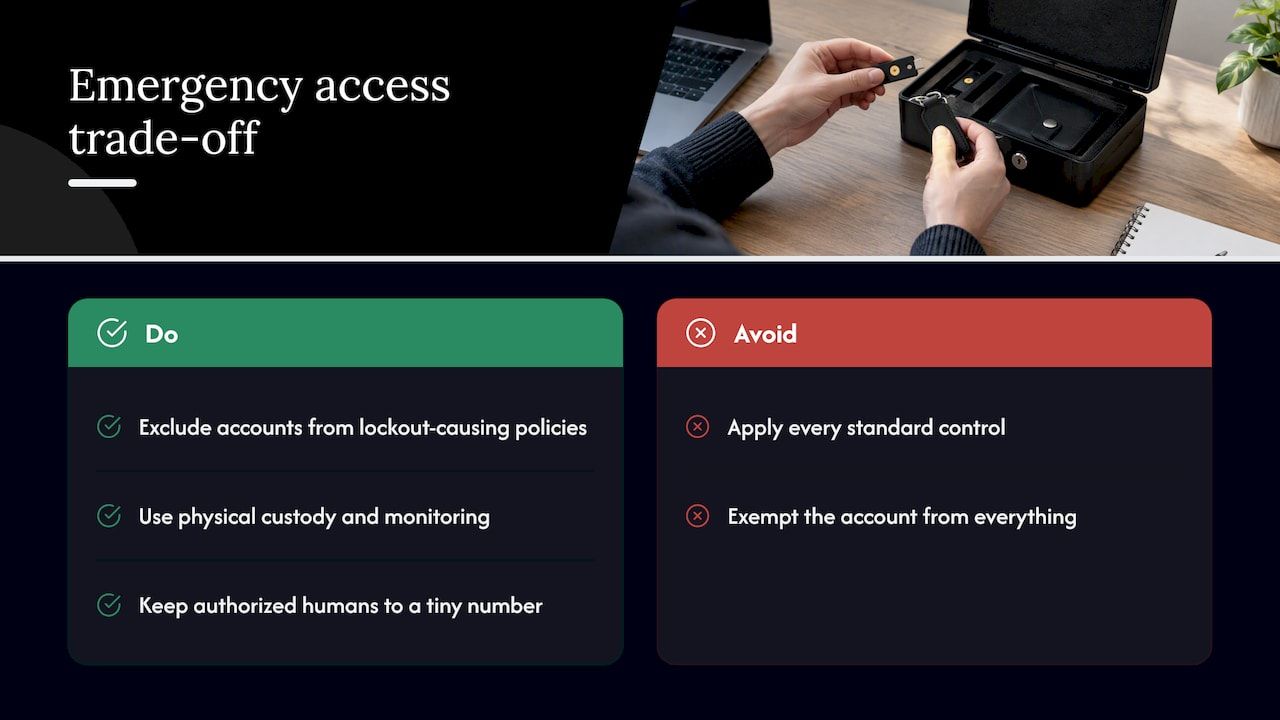
The UK NCSC makes the point in its guidance on protecting how you administer cloud services: high-risk access has different needs from routine administration, and emergency paths must be designed deliberately rather than improvised mid-incident. That is why you must explicitly exclude these accounts from policies that could cause a lockout, then make up for the missing controls elsewhere: physical custody, monitoring, and a tiny number of authorized humans.
This is the part teams most often get wrong. They either apply every standard control to the emergency account, so it fails with the rest of the stack, or they exempt it from everything and forget it. Neither is a design.
How to build break glass accounts
The patterns below follow Microsoft Entra, since it is the most common case, and the principles carry over to other platforms.
Number and type
Microsoft recommends two or more emergency access accounts so that losing one credential does not end your recovery options. CISA’s draft Microsoft 365 baseline similarly recommends two to four Global Administrator accounts in total. Remember that your emergency accounts count toward that total. If you keep two of them, you have room for only a few named Global Administrators.
Cloud-only, never federated
Microsoft’s guidance is that these accounts should be cloud-only and not federated or synchronized from an on-premises directory. The reasoning is simple. If the account depends on your on-premises directory or federation service, an outage of either takes the account down too. Use the provider’s default domain, not a custom domain that depends on DNS you may not control during an incident.
Permanent, direct privilege
The account should hold its administrative role as a permanent assignment, not an eligible role that needs activation. An activation workflow is one more system that has to be working. Microsoft’s own wording is that the accounts are permanently assigned the Global Administrator role. This is a deliberate exception to the least-privilege habit, and it is the reason the other safeguards are non-negotiable.
Authentication that survives an outage
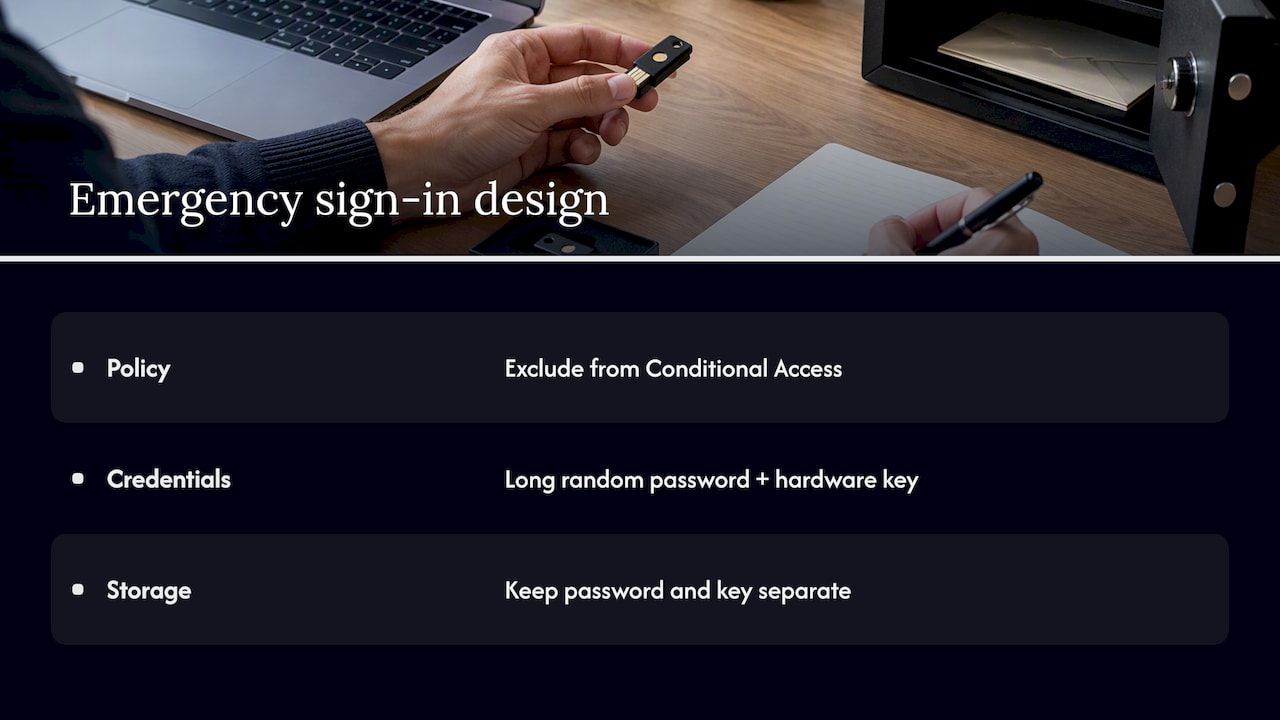
The usual answer to “how do we protect an account that has no MFA policy?” is not a weaker credential. Microsoft’s Zero Trust workshop guidance says to exclude these accounts from Conditional Access policies that enforce MFA or device compliance, and to protect them with phishing-resistant methods such as FIDO2 keys or passkeys kept physically separate. Pair each account with a long, random password plus a hardware key, and keep the pieces in different places.
If your policy design makes exclusions hard to manage, that is a signal to simplify. A smaller set of well-scoped policies is easier to audit than a maze with six carve-outs.
A checklist for provisioning
- Create two or more cloud-only accounts with clear, non-identifying names.
- Assign the highest administrative role permanently and directly.
- Register phishing-resistant hardware keys, with each key held by a different custodian.
- Exclude the accounts from MFA and device-compliance policies, and document exactly why.
- Store credentials offline under dual control.
- Configure alerting before the accounts are used for the first time.
- Write the runbook: who may declare an emergency, how access is requested, how it is closed out.
Where to keep the credentials
Do not store them in a password manager that relies on the identity provider you are trying to recover. The guidance in Microsoft’s workshop material is to keep them in separate, physical, fireproof locations requiring multi-person authorization. A safe in two different offices, with split custody of password and hardware key, is a common arrangement.
Split knowledge matters too. If one person can retrieve the password, the key and the runbook alone, you have a single privileged individual with no accountability, which is the situation break glass is meant to avoid. Dual control means a second person witnesses retrieval, and the log records both.
Three practical details are worth settling early:
- Where the second copy lives. A single safe in a single building does not survive the disaster scenario.
- Who the custodians are. Name roles, not just individuals, so the process survives staff turnover.
- How custodians are reached out of hours. An emergency procedure that depends on an email thread will not work during an email outage.
Make every use loud
A break glass account that signs in without anyone noticing is a compromised account, a shortcut, or both. NCSC’s guidance describes the right posture: alerting should be, in effect, irritating. Any sign-in attempt, successful or not, should trigger high-priority notifications to several security and operations people at once. If using the account does not cause a stir, it is not a true break-glass event.
Good alerting has these properties:
- It fires on attempts as well as successes.
- It reaches more than one person, through more than one channel, including one that does not depend on your primary email or chat platform.
- It routes to a person with authority to confirm whether an emergency was actually declared.
- It is itself tested, so that silence means nothing happened rather than nothing is listening.
Every use should end in a short review: what was the trigger, what was done, which credentials were rotated afterward. Rotate after each use, because the secret has been exposed to a human at a bad moment.
Test quarterly, rotate on a schedule
Untested emergency access is a hope, not a control. Microsoft’s guidance calls for regular quarterly testing that confirms the accounts still work, MFA methods still function and alerts trigger as expected. The failure it guards against is discovering mid-outage that a credential expired, an account was disabled by a cleanup script, or the alert rule went silent. The same guidance suggests rotating credentials every 90 days or whenever personnel change.
A quarterly test can be short:
- Retrieve credentials under dual control, as in a real event.
- Sign in, confirm the role is intact, and sign out.
- Confirm that alerts reached every intended recipient and how long it took.
- Rotate credentials, return them to storage and record the exercise.
- Fix whatever failed, and note it in the runbook.
Treat the test like a fire drill. The point is not only the technology but whether custodians know where the safe is and who to call.
Break glass versus just-in-time access
People searching for break glass often land on just-in-time access, and the two are frequently confused. They solve different problems.
Just-in-time access grants time-limited, task-specific privileged permissions only when needed, then revokes them once the work is done. That includes a JIT approach to privileged access for service accounts and other non-human identities. It replaces standing privilege for everyday administration, which shrinks the window an attacker can exploit.
| Just-in-time access | Break glass access | |
|---|---|---|
| Purpose | Routine privileged tasks | Recovery when normal access fails |
| Privilege | Granted on request, then revoked | Permanent, but guarded by custody |
| Depends on normal systems | Yes: identity provider, approvals, MFA | No, by design |
| Expected frequency | Daily or weekly | Almost never |
| Approval | Workflow or policy | Declared emergency, dual control |
| Monitoring | Standard audit logging | Immediate high-priority alerts |
The relationship is that JIT reduces how often anyone needs powerful standing access, and break glass is the exit for the day JIT or the identity layer is itself unavailable. A mature setup uses both. If your team is reaching for the emergency account because JIT approvals are slow, the fix is the approval process, not the emergency account.
Common mistakes that turn break glass into a liability
Experts describe break glass access as a governed recovery mechanism, not a convenience account. Its misuse for routine administration weakens security, muddies audit trails and raises the risk of unauthorized access. The failure patterns are consistent:
- Using it as a shortcut. If administrators sign in with it to skip an approval, you have a shared super-admin account with a good excuse.
- Tying it to the primary identity provider. It fails with everything else.
- Keeping the password in the same vault as everything else. Circular dependency.
- No alerting, or alerting nobody reads. A silent account is an invisible one.
- Never testing. Credentials expire and accounts get cleaned up by well-meaning automation.
- One account only. A single lost key or a single disabled account ends your recovery path.
- No runbook. In an incident, improvisation costs hours.
Cloud environments add their own versions. In AWS, for example, teams debate whether to treat the root user as the last resort, create dedicated IAM users in a management account, or use a separate account with cross-account roles. One practitioner walkthrough lays out those approaches and recommends keeping the emergency account independent of the normal single sign-on setup. Whichever route you choose, the principles above still apply.
Our perspective: emergency access belongs in the system design
We build custom business software for organizations with complex workflows, financial transactions and audit requirements, and we see the same pattern in internal systems that we see in cloud tenants. Emergency access gets bolted on at the end, if at all, and then it is discovered during the first real incident.
Our view is that break glass belongs in the architecture from the first sprint. Three reasons shape how we approach it:
- Recovery paths are product requirements. A financial module or workflow engine that cannot be administered when its identity provider is down is incomplete, however good its features are. Starting from a modular foundation lets a team define admin roles, audit logging and emergency procedures once, instead of rebuilding them per application.
- Auditability is the control that makes the exception acceptable. Permanent privilege is defensible only if every use is logged, alerted and reviewed. Systems built to be audit-ready make that natural. Retrofitting it is where programs stall.
- Self-hosting changes the failure modes. When a client controls its own deployment, the identity provider, secrets storage and recovery path are the client’s to design. That is more responsibility, and it is also the freedom to make recovery independent of any single vendor.
The discipline is the same everywhere: accelerate work without accelerating chaos. Fast delivery is useful only if the system is still recoverable and explainable on its worst day. For related thinking, see our notes on financial data security practices, fintech security for IT leaders and why security matters in automated workflows.
— Bitecode
Building recovery into your own software
If you are commissioning an internal system, a fintech platform or a SaaS product and want administrative roles, audit trails and emergency procedures designed in from the start, our custom business software service starts projects with a large share of the baseline system already built, so your team’s effort goes to the business domain and its controls. Our financial module is built around audit-ready processing. Tell us your constraints and we will scope the work.
A short runbook template
Write this down before you need it. One page is enough.
- Declaration. Who can declare an emergency, and what evidence is required (for example, confirmed identity provider outage or all administrators locked out).
- Retrieval. Which custodians, which locations, how witnessed.
- Use. What the responder is allowed to do. The aim is to restore normal access, not to carry on working under the emergency account.
- Notification. Who is told, in what order, through which channels.
- Closure. Disable any temporary changes, rotate credentials, store them again.
- Review. A written summary within a few days: trigger, actions, gaps found, changes made.
Review the runbook at each quarterly test and after any organizational change.
FAQ
What is a break glass account?
A break glass account is a highly privileged, pre-staged account used only when standard administrative access fails. It is typically cloud-only, protected by hardware keys, stored offline and monitored so that any use triggers an immediate alert. Its purpose is to restore control, not to do daily administration.
How many break glass accounts do I need?
Microsoft recommends at least two emergency access accounts so that one lost or disabled credential does not leave you locked out. Keep them within your overall limit of Global Administrators, which CISA’s draft baseline puts at two to four in total.
Should break glass accounts have MFA?
They should not depend on MFA methods that can fail with your identity provider, so they are usually excluded from Conditional Access policies that enforce MFA. Protect them instead with phishing-resistant hardware keys such as FIDO2, kept physically separate from the password. Then rely on monitoring and dual-control custody to compensate.
How often should we test break glass access?
Quarterly is the guidance in Microsoft’s Zero Trust material, with credentials rotated every 90 days or after personnel changes. Each test should confirm the sign-in works, MFA methods still function and alerts reach every recipient. Rotate again after any real use.
Is break glass the same as just-in-time access?
No. Just-in-time access grants temporary privilege for routine tasks and depends on your normal systems working. Break glass is the fallback for when those systems are unavailable, so it is permanent, independent and heavily monitored.
Sources
- Manage emergency access admin accounts, Microsoft Learn
- Plan and implement emergency access (breakglass) accounts, Microsoft Zero Trust
- Emergency access accounts definition, Microsoft Entra docs
- Azure Active Directory Minimum Viable Secure Configuration Baseline Draft v0.1, CISA
- Protecting how you administer cloud services, NCSC
- What Is Just-In-Time Access?, Palo Alto Networks
- AWS Break Glass Access: The Complete Guide


