
Case management automation combines routing, rules, orchestration, and AI-assisted tasks to move a case from intake to resolution with far less manual handling. We define it here as a practical discipline, not a product category, and the outcome teams should expect is faster resolution, less repetitive work, and a case record that holds up under audit.
TL;DR:
- Use BPM for linear, repeatable subprocesses, but choose dynamic case management when work involves changing information, exceptions, and decisions centered on people.
- Before signing, verify that the platform can export the exact reports funders or regulators require; generic reporting often creates manual workarounds during audits.
- Pilot one high volume, low complexity case type, map its current process, and set measures for resolution time, backlog, and reporting accuracy before building.
- For AI assisted triage or notes, assign human review where needed and track accuracy, bias, and errors under documented governance and incident response rules.
- Custom builds offer maximum control but take the longest; off the shelf platforms launch faster, while modular approaches assemble components around case specific rules.
What case management automation is (and how it differs from workflow or BPM)
A “case” is a unit of work built around a person, claim, incident, or matter that unfolds unpredictably: new information arrives, exceptions occur, and multiple people touch it before it closes. That unpredictability is what separates dynamic case management from structured business process management. BPM assumes a known, repeatable sequence of steps. Ticketing systems assume a single issue with a defined close condition. Case management sits between the two: it needs enough structure to enforce rules and deadlines, but enough flexibility to accommodate judgment calls, attachments, and a shifting cast of participants.
A working case management setup typically includes:
- A case record that holds the full history, participants, and current status in one place.
- A lifecycle definition that marks intake, active stages, and closure conditions.
- A rules engine that applies eligibility, routing, or escalation logic automatically.
- Human task assignments that route work to the right person or team at the right time.
- Integrations that pull in or push out data from other systems of record.
The taxonomy matters when scoping a project. If the work is linear and repeatable, a BPM tool is often the right fit. If the work is reactive and person-centered, dynamic case management is the better model. Many organizations end up blending both: BPM for the predictable sub-processes, case management for the overall container; see this care management workflow playbook for practical design guidance.
Key features and capabilities to expect from platforms and projects
When evaluating a platform or a custom build, a handful of capabilities separate a system that reduces workload from one that just digitizes the paperwork.
Routing and service levels. Automated assignment based on workload, skill, or priority, paired with SLA timers and escalation rules, keeps cases from sitting untouched. A rules or decisioning engine should let non-technical staff adjust eligibility and routing logic without a development cycle.
Documentation and audit trail. Case timelines, attachments, internal notes, and a versioned audit trail are not optional extras. They are what auditors, funders, and regulators ask for first, and retrofitting them after launch is expensive.
- Case timeline with every status change and actor logged
- Attachment handling with version history
- Role-based access to sensitive case data
- Exportable audit logs tied to specific case events
AI-assisted tasks. Auto-summarization, draft note generation, and triage or classification are now common enough to expect in a serious evaluation, though the quality and oversight model varies widely by vendor.
Integrations and reporting. Native connections to identity systems, payment or financial modules, and reporting pipelines determine whether staff spend time on data entry or on casework. Reviews of human services case management software consistently show that ease of use and native funder or regulator reporting are the deciding factors in purchase decisions, because generic reporting tools tend to require brittle manual workarounds at audit time, according to Capterra’s analysis of human services case management reviews.
Reporting requirement check: confirm a platform can natively export the specific report formats your funders or regulators require before signing, since that single gap drives most post-launch workaround costs, per the same Capterra review analysis.
Where case management automation delivers the most value
Certain industries see outsized returns because their case volume is high and their documentation burden is heavy.
- Human services: intake automation, person-centered plan tracking, and funder reporting reduce the administrative load that pulls case managers away from direct client work, while HIPAA-aligned access controls protect sensitive records.
- Customer support: multi-channel triage routes inquiries from email, chat, and phone into a single case view, with automated acknowledgments helping teams hold to SLA commitments.
- Insurance claims: automated intake, adjuster assignment, and correspondence generation shorten the gap between a filed claim and a resolved one.
- Courts and legal administration: caseflow automation can move routine scheduling and document handling forward, but it works best paired with governance structures and human oversight rather than full autonomy, a point echoed in AI readiness guidance for state courts.
- IT service management: linking incident tickets to broader case workflows helps teams see recurring problems as patterns rather than isolated tickets, shortening resolution cycles.
Each of these scenarios shares a common thread: high volume, recurring structure, and a documentation burden that automation can absorb without removing the human judgment the work actually requires.
How case management automation works under the hood
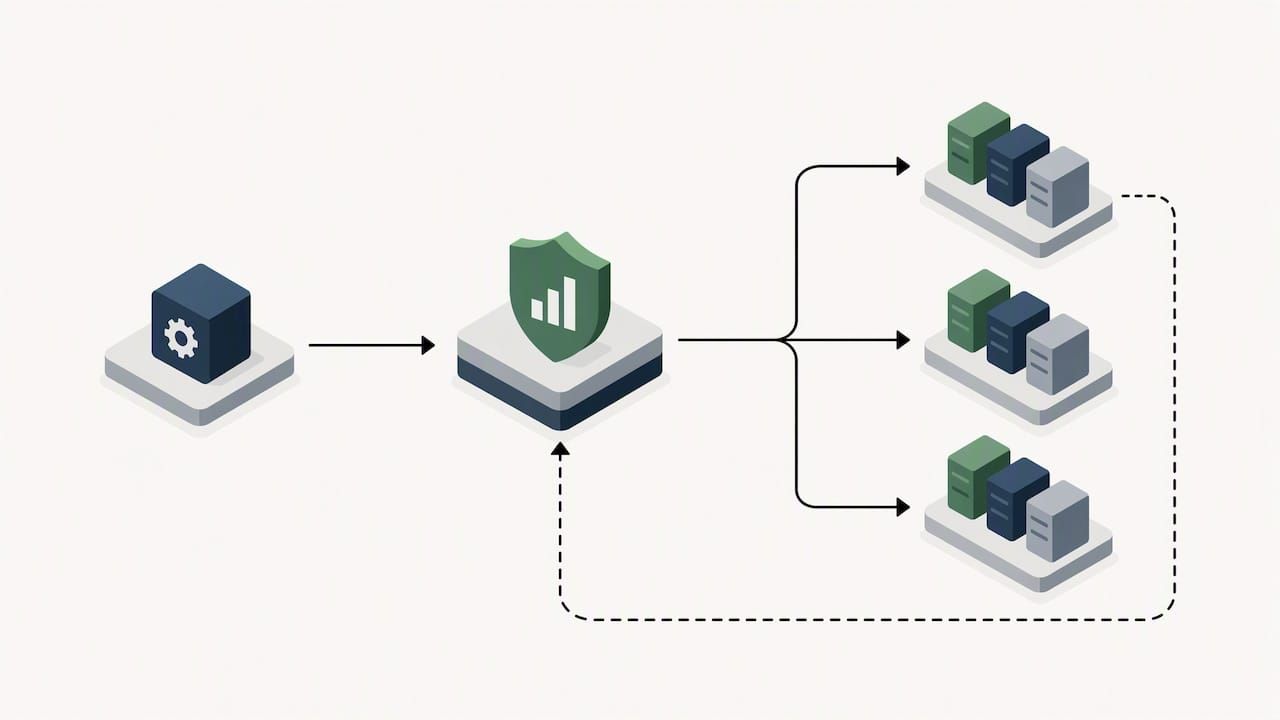
A typical architecture has five layers working together: a case store that holds the authoritative record, a rules or decision engine that evaluates eligibility and routing logic, a workflow engine that sequences tasks and milestones, an integrations layer that connects to adjacent systems, and a user interface where staff review and act on cases.
The data model underneath usually tracks:
- Case types, each with its own fields, stages, and required documentation
- Events and milestones that mark progress through the lifecycle
- Tasks assigned to individuals or teams with due dates
- Attachments linked to specific case events
- An audit trail recording who changed what and when
Integration patterns vary by maturity. Modern systems favor APIs and webhooks for real-time connections, message queues for asynchronous processing at scale, and web portals for self-service intake. Legacy environments often need an ETL layer to bring historical case data into the new system without losing history.
Deployment choice matters as much as the feature list. Cloud deployment is fastest to stand up and scale. Hybrid models keep sensitive data on-premises while using cloud services for processing. Self-hosted deployment gives full control over data residency and security posture, a requirement for organizations with strict compliance obligations. Scaling considerations should be part of the initial design conversation, not an afterthought once case volume outgrows the original scope.
Implementation roadmap: pilot, scale, and success metrics
A phased rollout keeps risk contained and gives teams real data before committing to a full-scale deployment.
- Set success metrics up front. Resolution time, backlog reduction, and compliance or reporting accuracy give stakeholders a shared definition of success before any build work starts.
- Choose a narrow pilot. Pick a single high-volume, well-understood case type rather than the most complex one, and map its current process in detail before automating any step.
- Build a data migration checklist. Identify which historical case data must move, which fields map directly, and which need transformation or manual review.
- Run build-test-learn cycles. Short iterations with real users surface edge cases that a specification document misses.
- Define human-in-the-loop rules. Decide explicitly where automation acts alone and where a person must review or approve before a case moves forward.
- Train, roll out, and monitor. Staff training and a monitoring plan for the first several weeks catch problems before they become habits.
Pro Tip: Pilot with the case type that has the highest volume and the lowest complexity. That combination proves value fastest and builds the organizational trust needed for a wider rollout.
The National Center for State Courts’ guidance on AI readiness echoes this sequence for public-sector case environments: establish governance structures, select projects that deliver visible early wins, and pair phased rollout with active change management, as outlined in the AI readiness guide for state courts.
Governance, AI risk management, and vendor due diligence
Any case automation project that incorporates AI needs governance built in from the start, not added after an incident. Explainability, data provenance, and vendor accountability are the three pillars auditors and regulators tend to ask about first.
The NIST AI Risk Management Framework’s Generative AI Profile organizes this work into four functions that map cleanly onto a case automation project:
- Govern: establish an internal committee and policy for how AI is used in case decisions.
- Map: identify where AI touches case data, routing, or recommendations, and document the intended use.
- Measure: track accuracy, bias, and error rates for AI-assisted triage or summarization.
- Manage: define incident response steps for when an AI component produces an incorrect or harmful output.
Supplier due diligence belongs in the same process: contract terms that specify data ownership, SLAs that cover both uptime and model performance, traceability for any third-party AI components embedded in the platform, and a documented contingency plan if a vendor discontinues a feature. The Secure Digital Case Management governance framework frames the case itself as an operational environment rather than a static file, and recommends embedding supervision and auditability at every lifecycle stage rather than bolting it on at the end.
AI governance is an organizational imperative, not just an IT concern. Establish committees to oversee adoption and monitor impacts, particularly where outcomes affect public trust. National Center for State Courts, AI readiness guidance
Where HIPAA applies, access controls, consent tracking, and audit logging need to be part of the implementation plan itself, not a compliance review that happens after launch. Our own IT automation governance checklist walks through how these controls fit into a broader automation rollout.
How to scope and choose between build, buy, or modular projects
Choosing a delivery path comes down to a short scoring exercise rather than a gut call.
- Feature fit: does the option cover your core case types without heavy customization?
- Integration effort: how much work connects it to existing identity, financial, or reporting systems?
- Compliance support: does it natively handle the reporting and audit requirements your sector demands?
- Total cost: license or build cost plus the ongoing maintenance and support burden.
- Time to value: how long until the first case type goes live in production?
A fully custom build gives maximum control but carries the longest timeline. An off-the-shelf platform moves faster but can force process changes to fit its model. A modular, low-code approach sits between the two, assembling pre-built components around the specific rules a case type needs.
Whichever path you evaluate, the RFP or demo conversation should cover integration depth, the upgrade path for future features, how data exits the system if you switch vendors, SLA terms, and the support model after go-live. Require a defined pilot with acceptance criteria tied to the metrics set in the implementation plan, not a vague promise of “efficiency gains.”
What we’ve learned building modular case systems
Most case automation projects fail not from a lack of ambition but from scope creep during the build phase: teams try to automate every exception before proving the core path works. The modular approach we favor, assembling pre-built components for routing, documentation, and reporting rather than writing each from scratch, exists specifically to shorten that proving period. A pilot that would take months in a traditional build cycle can often reach production in weeks when underlying components like the rules engine, case store, and audit trail exist and only need configuration.
The governance side deserves equal weight. A fast pilot that skips access controls or audit logging creates technical debt that costs more to unwind later than it saved at launch.
— Bitecode
How Bitecode supports case management automation projects
The path from scoping to a working pilot is shorter without cutting corners on governance or audit requirements.
Our relevant building blocks include:
- An AI Assistant module for triage, summarization, and draft note generation within a case record.
- A Financial Module for claims, payments, or billing workflows tied to case resolution.
- An Automation Module for routing, escalation, and rules-based task assignment.
- A CRM Module for managing participant and stakeholder relationships across a case lifecycle.
If your team is scoping a pilot or evaluating whether a modular build fits your case volume and compliance needs, our custom business software and automation services pages outline how an engagement typically starts, and a direct conversation is the fastest way to find out whether a pilot can realistically launch within your timeline.
FAQ
What is the best software for case management?
There is no single best platform. The right choice depends on case volume, required integrations, and whether your sector needs native compliance reporting, which buyer reviews identify as a top deciding factor for human services specifically. A modular or low-code approach is worth evaluating when an off-the-shelf tool does not match your workflow without heavy customization.
What are the five stages of case management?
Common frameworks describe intake, assessment, planning, implementation, and monitoring and closure as the core stages, though exact naming varies by sector. Governance frameworks for digital case management recommend embedding supervision and auditability at each of these stages rather than only at closure, as described in the Secure Digital Case Management governance framework.
Can AI do case management?
AI can meaningfully support case management by handling triage, drafting case notes, and surfacing priority items, substantially reducing documentation time when implemented with consent and safeguards. It is not suited to full autonomy over case decisions: frameworks like the NIST AI Risk Management Framework recommend human oversight and structured risk management for AI components used in case workflows.
What are the four types of case management?
Definitions vary across industries, but case management is commonly grouped into clinical or healthcare case management, legal and court case management, social and human services case management, and insurance claims case management. Each type shares the same core lifecycle but differs in its compliance requirements and the systems it needs to integrate with.
How do I start automating case processes without a full platform overhaul?
Start with a narrow, high-volume case type and map its current process before introducing any automation, then run short build-test-learn cycles with real users. Our guide to AI workflow automation walks through this pilot-first approach in more detail.
Sources
- Artificial Intelligence Risk Management Framework: Generative Artificial Intelligence Profile (NIST)
- AI readiness for the state courts (NCSC)
- Human Services Case Management Software Reviews | Capterra
- Secure Digital Case Management in Human Services: A Governance Framework for Integrated, Ethical and Person-Centred Practice


