
TL;DR:
- A modular, API-first pilot connects an assistant to one or two systems, demonstrating measurable savings within 12 weeks. Successful implementation depends on clear KPIs, stakeholder alignment, and security controls from the start. Scaling involves replacing no-code connections with production-grade APIs and expanding based on pilot results.
The fastest, lowest-risk path to enterprise AI assistant integration is a modular pilot that connects an API-first assistant to one or two operational systems, proves measurable time savings within 12 weeks, then scales with hardened governance and connectors.
TL;DR
- Companies deploying AI assistants report saving 40–60 minutes per user per day on coordination and administrative tasks.
- Minimum viable scope: one department, one high-value integration target (CRM, Slack, or Microsoft 365), and three measurable KPIs.
- Stakeholders to convene before week one: IT lead, security/data owner, business process owner, and a vendor or implementation partner.
- Primary risks: unclear objectives, missing data governance, and over-scoping the pilot.
Immediate next step: Run a two-week discovery sprint. Map the target workflow, inventory the APIs available in your chosen system (Salesforce, ServiceNow, HubSpot, Jira, or Microsoft 365), confirm data classification, and define your pilot exit criteria before writing a single line of connector code.
What does a practical AI assistant integration roadmap look like?
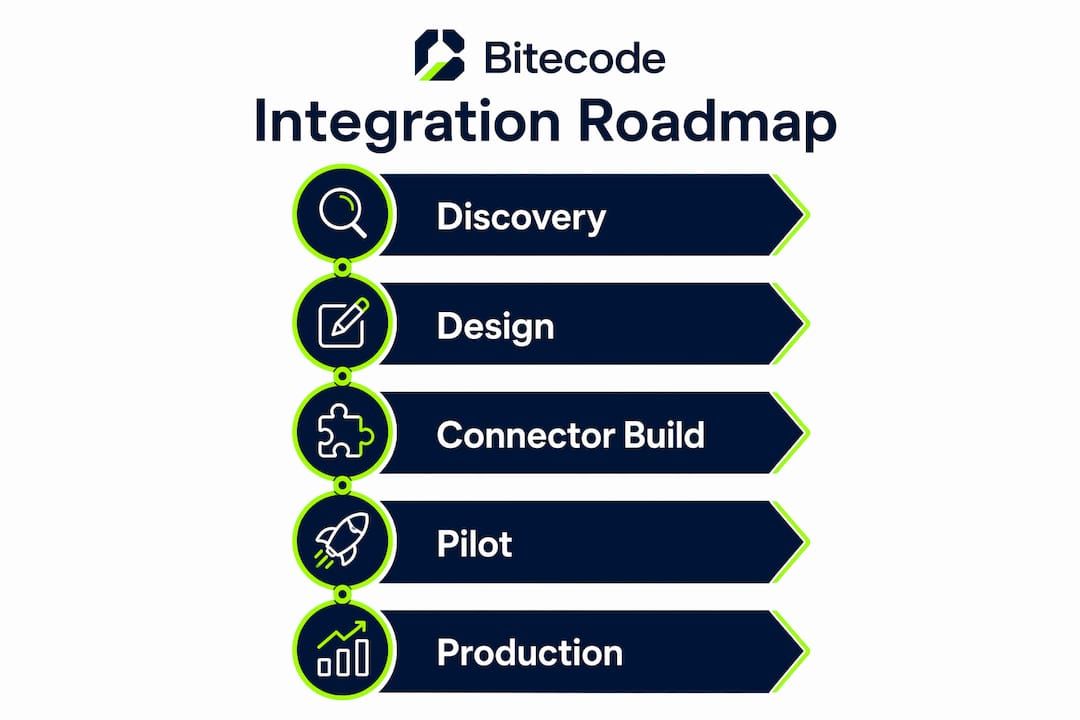
A well-structured rollout moves through six phases, each with a clear exit criterion before the next begins.
- Discovery (weeks 0–2): Identify the highest-value workflow, inventory existing APIs, classify data sensitivity, and align stakeholders on KPIs (time saved, task completion rate, adoption percentage).
- Design (weeks 2–4): Select the LLM endpoint (OpenAI/ChatGPT, Google Gemini, or Microsoft Copilot), define the connector architecture, draft the data-handling policy, and complete a security threat model.
- Pilot/MVP (weeks 4–10): Build the minimum connector set, deploy to a single team of 10–25 users, and activate monitoring. No-code orchestration tools like n8n or Zapier can accelerate pilot connector work and let business teams iterate while engineering hardens the integration.
- Evaluate (weeks 10–12): Measure against pilot KPIs. Exit criteria: adoption rate above 60%, time-saved target met, zero critical security findings.
- Harden (weeks 12–16): Replace no-code connectors with production-grade API wrappers, enforce RBAC, complete a penetration test, and finalize audit logging.
- Scale (weeks 16+): Expand to additional departments or integration targets based on pilot evidence.
Stakeholder matrix: IT owns connector infrastructure; security/data owners gate access controls and retention policy; business owners define KPIs and validate outputs; the implementation partner (internal or external) manages delivery milestones.
How should you architect an AI assistant in an enterprise stack?
The core architecture has six layers: client UI → orchestration → LLM endpoint → business rules → connectors → audit/logging. Each layer should be independently replaceable, which is what makes a modular foundation worth the upfront design investment.

Three patterns cover most enterprise scenarios:
| Pattern | Best for | Trade-off |
|---|---|---|
| API-first (single assistant, REST/GraphQL connectors) | Greenfield systems, well-documented SaaS targets | Simpler to govern; limited to synchronous flows |
| Event-driven (webhook/message bus) | High-volume async workflows, Slack or Microsoft Teams triggers | Lower latency at scale; adds broker complexity |
| Agentic multi-agent | Complex, multi-step reasoning across many systems | Highest capability; governance overhead is significant |
For most enterprise pilots, the API-first pattern is the right starting point. Agentic architectures add real power for multi-step data workflows, but they also relocate complexity into the orchestration layer, which needs its own governance model before production.
AI assistants like those built on ChatGPT, Google Gemini, or Microsoft Copilot function as LLM-powered service endpoints behind the orchestration layer. Salesforce Agentforce and ServiceNow’s AI layer follow the same pattern but bundle the connector logic with the platform. In-room capture devices (hardware-based meeting assistants) reduce context loss by recording conversations and creating action items automatically; software-only assistants depend on users to provide that context manually.
What security and compliance controls does your pilot need?
Security and governance belong in the pilot’s acceptance criteria, not in a post-launch remediation sprint. The CSET operationalizing guidance is explicit: embed controls at the data, model, and system level from day one.
Security checklist:
- Role-based access control (RBAC) with least-privilege scoping per connector
- Encryption in transit (TLS 1.2+) and at rest for all stored context and logs
- API gateway policy enforcing rate limits, IP allowlisting, and token expiry
- Audit trails capturing every model call, data access event, and action taken
- Data retention policy with defined purge schedules
- Vendor security certifications: SOC 2 Type II at minimum; ask for the report, not just the badge
US compliance callouts:
- CCPA: Any assistant processing California residents’ personal data must support deletion requests and opt-out flows. Confirm with legal whether the LLM vendor qualifies as a “service provider” under CCPA.
- HIPAA: If the assistant touches protected health information, a Business Associate Agreement with the LLM vendor is mandatory before the pilot goes live.
- FINRA: For financial services, all AI-generated communications and recommendations may be subject to recordkeeping rules. Audit logs must be tamper-evident and retained per applicable schedules.
Pro Tip: Apply data minimization before model calls. Strip or pseudonymize PII at the connector layer using a pre-processing step, so the LLM never receives raw personal data. This reduces compliance surface area and limits exposure if a model provider experiences a breach.
Which enterprise systems should you integrate first?
AI assistants pull context from internal databases and third-party applications to produce timely, context-aware actions. Prioritize systems where the assistant can close a loop automatically, not just surface information.
| Target system | Recommended connector pattern | Primary automation value |
|---|---|---|
| Salesforce CRM | REST API (OAuth) | Auto-update records, log call summaries |
| Microsoft 365 (Outlook/Teams) | Microsoft Graph API | Draft emails, schedule meetings, surface context |
| Slack | Events API + Webhooks | Trigger workflows, post summaries, assign tasks |
| ServiceNow | REST Table API | Create/update tickets, route incidents |
| HubSpot | REST API (OAuth) | Sync contacts, log interactions, trigger sequences |
| Jira | REST API (API token) | Create issues, update status, summarize sprints |
| Google Calendar/Gmail | Google Workspace API | Schedule, summarize, extract action items |
| Document stores (SharePoint, Drive) | Graph API / Drive API | Retrieve context, generate summaries |
The highest-value automation flow connects conversations directly to action. A typical example: a meeting transcript is captured, the assistant extracts action items, creates Jira issues, and logs a summary to the Salesforce opportunity record, all without manual entry. That single flow eliminates a category of coordination overhead that costs teams significant time daily.
Pro Tip: At scale, Salesforce and Microsoft Graph both enforce rate limits that will throttle a naive integration. Design your connector with exponential backoff, pagination handling, and a queue layer (SQS or Azure Service Bus) to absorb burst traffic without dropping events.
How do you evaluate and select an AI assistant vendor?
Vendor selection for an enterprise AI assistant project is a procurement decision with a long tail. The wrong choice relocates risk into the vendor relationship rather than eliminating it.
Weighted scoring rubric (adapt weights to your organization):
- Modularity and connector breadth (25%): Can the platform integrate with your specific stack without bespoke middleware for every target?
- Security certifications (20%): SOC 2 Type II, and HIPAA BAA availability if applicable.
- Deployment model (20%): Cloud-hosted, private cloud, or self-hosted. Self-hosting matters for regulated industries or organizations with strict data residency requirements.
- LLM flexibility (15%): Can teams swap the underlying model (OpenAI, Gemini, Copilot) without rebuilding connectors?
- SLA and support (10%): Defined uptime commitments and an escalation path for production incidents.
- Pilot engagement model (10%): Does the vendor support a scoped, time-boxed pilot with defined deliverables before a full contract?
Bitecode’s AI Assistant Module is built on this modular foundation. It ships with enterprise connectors, low-code customization for business-domain logic, and self-hosting options that satisfy data residency requirements without rebuilding the core platform.
How do you test and operate an AI assistant in production?
Operational discipline separates a successful deployment from one that quietly degrades. Track these metrics from day one of the pilot.
| Metric | Target (pilot) | Target (production) |
|---|---|---|
| Response latency | < 4 seconds | < 2 seconds |
| Task completion rate | > 60% | > 60% |
| User adoption rate | > 50% at week 8 | — |
| Hallucination/error rate | < 5% | < 2% |
| Cost per 1,000 calls | Baseline established | Within 10% of baseline |
Pre-production testing should include synthetic test suites covering edge cases, replay tests using sanitized production data, and human-in-the-loop validation for any action that writes to a system of record. Canary rollouts (5% of traffic to the new model version before full promotion) catch regressions before they affect the full user base.
Incident playbook outline: When a model failure is detected, first isolate the connector (disable the write path, not the read path), then audit the last 100 actions for data integrity, then roll back to the previous model version or connector configuration. Never attempt a live fix on a connector that has write access to CRM or ticketing systems.
Pro Tip: Building AI agents for production analytics surfaces a consistent lesson: monitoring model behavior in production requires different instrumentation than monitoring traditional APIs. Log the full prompt context, not just the response, so you can reproduce failures and retrain or adjust system prompts without guesswork.
What do pilot-to-production timelines and costs look like?
| Phase | Duration | Key milestone |
|---|---|---|
| Discovery + design | Weeks 0–4 | Architecture approved, data policy signed |
| Pilot (MVP) | Weeks 4–12 | KPIs measured, security review passed |
| Hardening | Weeks 12–16 | Penetration test complete, RBAC enforced |
| Production rollout | Weeks 16+ | Full department live, SLA active |
| Scale | Weeks 16+ | Second integration target launched |
Primary cost drivers:
- Integration complexity: Legacy systems without APIs require middleware or custom wrappers and are the single largest budget variable.
- Data preparation: Cleaning, classifying, and pseudonymizing data before model calls adds time and cost that teams consistently underestimate.
- LLM token costs: Model call costs scale with usage volume. Establish a baseline cost per 1,000 calls during the pilot and model it into total cost of ownership before committing to production scale.
- Security and compliance remediation: Penetration testing, BAA negotiation, and audit log infrastructure are fixed costs that belong in the initial budget, not a contingency line.
- Connector development: Each new integration target adds connector build and test time. Modular connector frameworks (like those in Bitecode’s platform) reduce this incrementally after the first integration is live.
Budget in phases: pilot funding should cover discovery through KPI validation only. Production funding is a separate approval gate, justified by pilot results.
What mistakes derail AI assistant projects most often?
Most enterprise AI assistant projects that stall do so for organizational reasons, not technical ones.
Common pitfalls and mitigations:
- Unclear objectives: No KPIs defined before build starts. Mitigation: require three measurable KPIs as a pilot entry criterion; no KPIs, no green light.
- Missing data owners: No one accountable for data classification or retention policy. Mitigation: assign a named data owner before the design phase closes.
- Over-scoping the pilot: Trying to integrate five systems in the first sprint. Mitigation: hard-cap the pilot at two integration targets maximum.
- Inadequate security gating: RBAC and audit logs treated as post-launch tasks. Mitigation: make RBAC and audit log configuration a pilot exit criterion, not a production prerequisite.
- Poor change management: Users not trained before go-live. Mitigation: run a two-hour enablement session with the pilot cohort before the assistant is activated.
- Vendor lock-in risk: Choosing a black-box platform with no data export or model-swap capability. Mitigation: require data portability and LLM flexibility as non-negotiable contract terms.
Red flags that warrant pausing a rollout: the vendor cannot produce a SOC 2 report; audit logs are not available via API; the pilot scope has expanded beyond the original two targets; or adoption at week eight is below 30%.
What does a modular AI assistant pilot look like in practice?
A mid-size professional services firm scoped a single-department pilot integrating Google Calendar and Salesforce CRM through a modular AI Assistant Module. The pilot ran for ten weeks with a cohort of 20 users.
Pilot scope and automation tasks:
- Meeting transcripts captured and summarized automatically after each client call
- Action items extracted and pushed to Salesforce as tasks, linked to the relevant opportunity
- Follow-up email drafts generated and queued for human review before sending
Outcomes: Users in the pilot cohort recovered 40–60 minutes daily on post-meeting administration, consistent with reported daily savings in similar enterprise deployments. Adoption reached 72% by week eight. The primary lesson: the assistant’s value was only realized once the Salesforce write connector was live. Read-only summarization alone did not move the adoption needle.
Replicable takeaways:
- Start with the write connector, not just the read connector. Closing the loop is what drives adoption.
- Human review on outbound actions (emails, CRM updates) builds trust faster than full automation from day one.
- Measure adoption weekly, not at the end of the pilot. Early drop-off signals a training gap, not a technology failure.
Key Takeaways
A modular, API-first pilot scoped to one department and two integration targets is the most reliable path from AI assistant concept to measurable enterprise value.
| Point | Details |
|---|---|
| Start narrow, measure fast | Cap the pilot at two integration targets and define three KPIs before build begins. |
| Security is a pilot entry criterion | RBAC, audit logs, and a data-retention policy must be live before users access the assistant. |
| Time savings are real but connector-dependent | Significant daily savings materialize only when the assistant can write to systems of record, not just read from them. |
| Budget for integration complexity | Legacy systems without APIs are the largest cost variable; prioritize API-enabled targets for the pilot. |
| Bitecode accelerates the modular path | Bitecode’s AI Assistant Module ships with enterprise connectors and self-hosting options, reducing pilot build time from the first sprint. |
Why modular AI integration beats the all-in-one platform bet
The conventional wisdom says to pick a single AI platform and let it handle everything. Bitecode’s view is that this advice optimizes for vendor convenience, not enterprise outcomes.
Monolithic AI platforms create the same problem they claim to solve: a new black-box dependency that is harder to audit, harder to swap, and harder to extend than the systems it replaced. The modular approach treats the AI assistant as one component in a governed stack, not the stack itself. That distinction matters when a model provider changes its pricing, deprecates an API version, or introduces a capability gap that the vendor’s roadmap will not address for 18 months.
For procurement teams, the practical implication is straightforward: contract for the connector layer and the orchestration logic separately from the LLM endpoint. That structure lets organizations swap model providers without rebuilding the integration. It also makes phased payments rational, because each module delivers independently verifiable value before the next is funded.
The AI integration best practices that hold up over time are the ones that treat governance and modularity as first-class requirements, not afterthoughts. Teams that embed RBAC and audit logging into their pilot exit criteria consistently reach production faster than those that defer those controls to a hardening sprint.
Bitecode’s pilot engagement for enterprise AI assistant projects
Bitecode delivers enterprise AI assistant projects faster than a greenfield build because up to 60% of the baseline system ships as pre-built, modular components. The AI Assistant Module includes enterprise connectors for Salesforce, Microsoft 365, Slack, ServiceNow, HubSpot, and Jira, low-code customization for business-domain logic, SOC 2-ready audit and access patterns, and self-hosting options for regulated industries.
A standard pilot engagement covers a two-week discovery sprint, connector build for two integration targets, and ten weeks of pilot support with weekly KPI reviews. Teams leave the pilot with a production-ready connector layer, a security-reviewed architecture, and evidence-based justification for the production budget.
To scope a pilot for your organization, visit Bitecode’s AI automation service page or review the custom software development options for teams that need a fully bespoke modular platform.
Useful sources for architects, legal teams, and procurement
- CSET: Operationalizing AI Guidance — The most thorough practitioner reference for embedding AI safety, security, and governance controls across the full adoption lifecycle. Essential reading for architects and compliance leads.
- Salesforce: What Is an AI Assistant? — Covers how Agentforce and AI assistants pull context from internal and third-party systems; useful for CRM integration design and understanding Agentforce’s connector model.
- Slack: AI Assistants for Business — Practical guidance on integrating AI assistants into collaboration platforms; best for teams prioritizing Slack as a pilot target.
- Akamai: What Are AI Assistants? — Concise overview of LLM-based assistant categories including ChatGPT, Google Gemini, and Microsoft Copilot; useful for procurement teams building a vendor longlist.
- Vibe: AI Assistant Definition and Types — Covers in-room vs. software-only assistants and the 40–60 minute daily savings benchmark; relevant for ROI modeling and capture architecture decisions.
- PlotStudio AI: How AI Data Agents Work — Engineering-level breakdown of agentic data workflows and multi-agent patterns; best for architects evaluating when to move beyond a single-assistant model.
- Bitecode: AI Integration Step by Step — Practical engineering guidance for integrating AI into enterprise systems, with modular implementation examples.


