
Document processing automation, more precisely known as intelligent document processing (IDP), uses machine learning, OCR, and NLP to pull structured data out of invoices, contracts, and forms, then routes that data straight into business systems. The immediate payoff is fewer manual keystrokes, fewer errors, and data that lands in an ERP or CRM within minutes instead of days. It works alongside existing workflow tools rather than replacing them.
TL;DR:
- Most IDP systems require ample sample documents and need fine-tuning to handle the wide variability of real enterprise documents.
- Integration with existing ERP and CRM systems is critical; poor connectivity can nullify automation benefits regardless of extraction accuracy.
- Error rates are reduced significantly once models are properly trained, but confidence thresholds and human review processes are essential to prevent mistakes.
- High-volume, semi-structured workflows like accounts payable, contracts, and onboarding offer the fastest ROI for document automation projects.
- Pilots should be run on actual documents with clear metrics, and phased rollouts with ongoing retraining and validation are better than enterprise-wide launches.
What Intelligent Document Processing Actually Means
Template OCR reads text from a fixed layout. Feed it an invoice from a new vendor with a different field arrangement, and it fails or produces garbage. Intelligent document processing solves that problem by combining OCR with machine learning models that understand context, not just character shapes, so it recognizes a “total due” field whether it sits top left or buried in a table on page three.
That distinction matters because most enterprise documents aren’t uniform. A single accounts payable inbox might receive invoices in a dozen formats, handwritten expense notes, and PDF contracts with clauses scattered across pages. IDP handles that variability; basic OCR does not.
IDP sits inside a broader automation stack rather than standing alone. It typically works with:
- Robotic process automation (RPA), which executes rule-based tasks once data is extracted
- Business process management (BPM) platforms, which orchestrate multistep approval chains
- Hyperautomation initiatives, which stitch IDP, RPA, and analytics into one continuous pipeline
Business process automation as a discipline is built around automating repeatable, multistep transactions end to end, and IDP is usually the component that turns unstructured paper or PDF input into the structured data those other systems need to act on.
How the Document Processing Pipeline Actually Works
A working IDP pipeline moves through six distinct stages, and understanding each one helps you ask sharper questions in a vendor demo.
- Capture — Documents arrive through scanners, email inboxes, web portals, or direct API feeds from partner systems.
- Preprocessing — Images get deskewed, denoised, and cropped so the text underneath is legible to a machine.
- OCR/ICR extraction — Optical character recognition handles printed text; intelligent character recognition tackles handwriting, which is meaningfully harder and less accurate.
- Classification — The system identifies what kind of document it’s looking at (invoice, contract, claim form) before deciding which extraction model to apply.
- Field and table extraction — ML and NLP models pull specific data points: amounts, dates, line items, clauses, party names.
- Validation and integration — Extracted data gets checked against business rules and confidence thresholds, then pushed into the ERP, CRM, or case management system.
The validation stage is where most projects succeed or fail. Anything below a set confidence score routes to a human reviewer instead of flowing straight through. This human-in-the-loop step is what keeps bad extractions from silently corrupting downstream records, a control outlined in standard BPA practice.
Pro Tip: Ask any vendor what their default confidence threshold is and whether you can adjust it per document type. A single fixed threshold across invoices and contracts is a sign the system wasn’t built for document diversity.
Integration is the step most pilots underestimate. A model that extracts data perfectly but can’t post it into your existing ERP or CRM has automated nothing; it has just moved the bottleneck.
What ROI Actually Looks Like Once It’s Running
The business case for document automation rests on four measurable categories: accuracy, speed, cost, and scale. Manual data entry typically runs error rates high enough to trigger downstream rework, refunds, or compliance flags, while trained extraction models cut that error rate substantially once tuned to your document types.
Track these KPIs from week one of any pilot:
- Documents processed per hour compared to your current manual baseline
- Error rate on extracted fields, measured against a sampled human audit
- Touchless processing rate: the percentage of documents that need zero human intervention
- Cycle time, from document receipt to system posting
Modern IDP systems can be fine-tuned from surprisingly small labeled sets. Google’s Document AI reports that extractors can improve meaningfully from as few as 10 sample documents, which matters enormously for how fast a pilot can show results.
That small-sample tuning capability changes the payback math. Instead of waiting months for a model to learn your document formats, teams can see workable accuracy within the first pilot cycle. Payback period estimates should factor in reduced manual labor hours, lower rework and audit costs, and the value of faster downstream decisions, not just the software fee itself. Our business process automation ROI guide walks through how to model those categories against your own baseline.
Where Document Automation Delivers the Fastest Wins
Some processes are better pilot candidates than others, mainly because their documents are high volume, semi-structured, and painful to process by hand.
- Accounts payable and invoice processing: high volume, recurring vendors, and clear ROI math make this the most common starting point.
- Contract intake and obligations extraction: pulling renewal dates, payment terms, and liability clauses out of long-form agreements saves legal and procurement teams hours per contract.
- HR onboarding and compliance documents: I-9s, benefits forms, and background check paperwork move faster with automated field capture and validation.
- Insurance claims and medical document intake: claim forms, medical records, and provider statements often arrive as scanned images with handwriting, a strong test of ICR capability.
- Customer onboarding and KYC: identity documents, proof-of-address forms, and support ticket attachments benefit from automated classification and data capture at intake.
Accounts payable remains the highest-ROI starting point for most organizations because the documents are structured enough to model quickly and the cost of errors (duplicate payments, missed discounts) is easy to quantify. Our financial process automation checklist breaks down what a pilot in that specific workflow should include.
What to Evaluate in an RFP, Component by Component
Skip the vendor logos and evaluate the underlying components instead. These are the pieces that determine whether a system will actually perform on your documents.
- OCR/ICR accuracy on handwriting, tested against your own scanned samples, not a vendor’s clean demo set.
- Trainable extractors that support few-shot fine-tuning, since small labeled sets can meaningfully improve accuracy without months of data collection.
- NLP capabilities for entity extraction, sentiment or intent detection, and automated PII redaction for compliance-sensitive documents.
- Integration connectors and open APIs that let the extraction layer talk to your ERP, CRM, and existing RPA or BPM tools rather than sitting isolated. Platforms like n8n show how visual builders paired with code can ease that connector work while keeping the pipeline testable.
- Security controls, including data residency options, encryption standards, and audit logging for regulated industries.
A conversational document analyzer, the kind AmmarAI’s document tool demonstrates, illustrates where this technology is heading: extracted data becomes queryable in plain language, not just dumped into a spreadsheet. Our RPA versus AI automation breakdown covers how these extraction layers should divide labor with your existing RPA bots.
A Realistic Path From Pilot to Full Deployment
Rolling out document automation in one enterprise-wide push almost always backfires. A phased rollout limits risk and gives you real data before you scale spending.
- Pick one pilot process with clear, measurable KPIs. Invoice processing or a single HR form type works well because success is easy to define.
- Collect and label sample documents. Even a modest labeled set is enough to start training extractors, particularly with modern fine-tuning approaches.
- Design your human-in-the-loop workflow. Decide who reviews low-confidence extractions and set an SLA for how fast that review has to happen.
- Build and test the integration into your ERP or CRM end to end, including error handling for records that fail validation.
- Scale gradually, expanding document types and volume while monitoring accuracy drift and setting a retraining cadence.
The industry has largely moved past automating single tasks in isolation, toward orchestrating entire processes end to end, and that shift is exactly why the integration step in phase four deserves more time than most project plans give it.
Pro Tip: Require any vendor to run their pilot on your actual documents, not a curated demo set, and demand pre and post metrics on accuracy, throughput, and touchless rate before signing anything larger. Our step by step automation playbook for managers walks through exactly how to structure that evaluation.
Governance and audit logging matter here too. Workflow platforms like Zapier log every automated action, which gives teams the audit trail needed to trust an AI-driven pipeline enough to expand it past the pilot stage.
Where Document Automation Projects Actually Go Wrong
Most failures trace back to a handful of predictable causes, and each has a straightforward mitigation.
- Black-box extraction with no visibility into why a field was flagged low confidence makes debugging nearly impossible; insist on explainability in any system you evaluate.
- Data drift, where document formats change over time and accuracy quietly degrades, requires a set retraining cadence rather than a one-time training pass.
- Missing confidence thresholds send everything through untouched, which means errors slip past unnoticed until an audit catches them.
- Weak PII handling creates compliance exposure, especially in HR, healthcare, and financial documents.
- Understaffed review queues turn human-in-the-loop into a bottleneck instead of a safeguard, so plan staffing for that queue before launch, not after.
Experienced teams build confidence-based routing paired with traceable human corrections, logging every override so the model improves without absorbing bad data back into training.
Bitecode’s Approach to Document Processing Automation
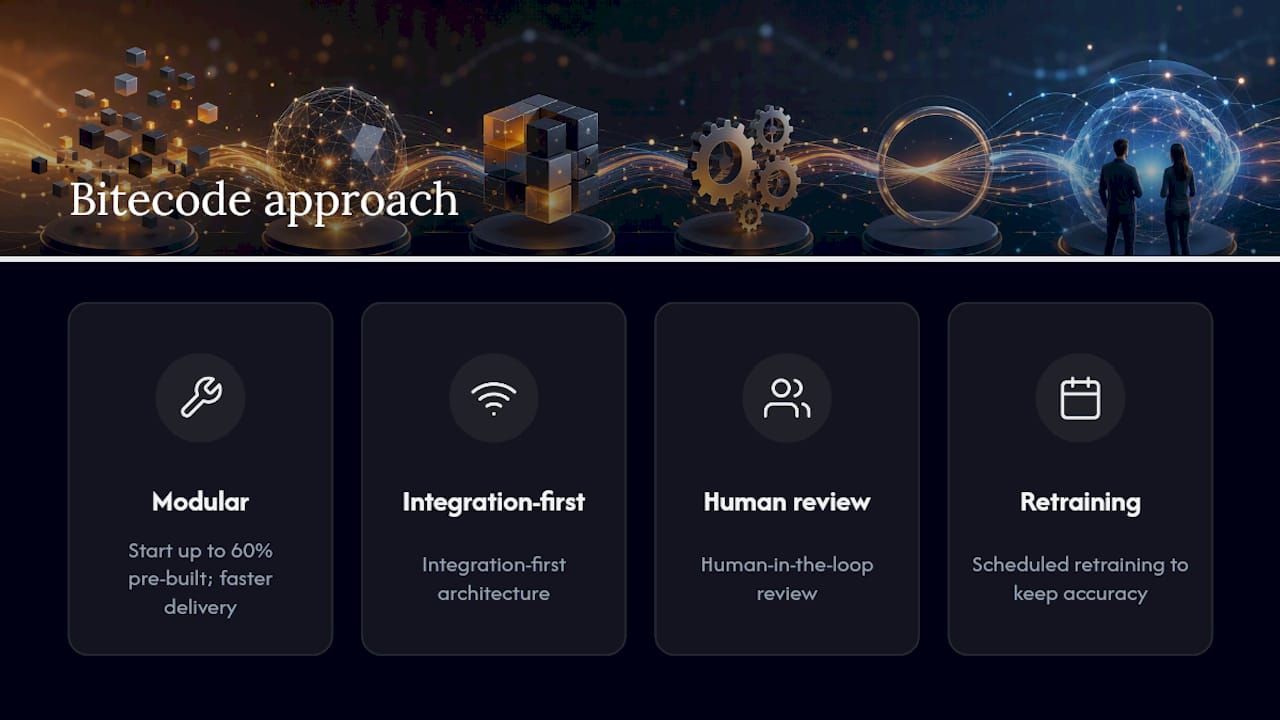
Bitecode builds document automation projects on modular components that start up to 60% pre-built, which cuts delivery timelines significantly compared to greenfield development. The approach centers on integration-first architecture, human-in-the-loop review, and scheduled retraining, so accuracy holds steady as document formats shift over time.
Buy Versus Build: What Actually Matters
The real decision isn’t packaged tool versus custom build. It’s whether the option you pick integrates into your core systems from day one. A cheap pilot that never connects to your ERP has cost you nothing and delivered less. Choose integration-first architecture over isolated point solutions every time.
**
How Bitecode Can Help You Build This
There are packaged IDP tools on the market, and for narrow, single-format use cases they can work fine. But most enterprises deal with document variety and legacy systems that off-the-shelf tools weren’t built to integrate with, and that’s where a custom, modular build earns its cost back fastest.
Bitecode approaches document processing automation as one module within a larger AI business process automation build, not a standalone bolt-on. If your document volume and system complexity justify a tailored approach rather than a generic tool, start with a custom automation consultation to see what a scoped pilot would look like for your workflows.
Sources
For deeper technical grounding beyond this guide, AWS’s explainer on intelligent document processing covers the extraction pipeline in vendor-neutral terms, useful for technical scoping conversations. IBM’s overview of business process automation frames where document extraction fits inside broader orchestration strategy, valuable for procurement teams building a business case across departments.
FAQ
What Is Document Processing Automation?
It’s the use of OCR, machine learning, and NLP to extract structured data from documents like invoices and contracts, then route that data into business systems without manual entry.
How Is IDP Different From Basic OCR?
Basic OCR reads text from fixed templates, while intelligent document processing uses machine learning to understand context, handling varied layouts and unstructured documents that template OCR cannot.
How Many Sample Documents Does It Take To Train a Model?
Some modern extraction models can improve meaningfully from as few as 10 labeled sample documents, though accuracy typically keeps improving as more samples are added.
What’s a Good First Pilot Process?
Accounts payable and invoice processing is the most common starting point because volume is high, documents are semi-structured, and error costs are easy to quantify.
Does Document Automation Replace Human Review Entirely?
No. Human-in-the-loop review handles low-confidence extractions, which keeps flawed data from reaching downstream systems while the model continues improving.


