
The question underneath the bytecode question
Most developers who go looking for information about Java bytecode are not really asking "what is a class file?" They are asking something more practical: when a system becomes difficult to diagnose, slow to troubleshoot, or expensive to maintain, does the platform underneath help or get in the way?
That is a more useful question, especially for teams building custom enterprise systems, financial platforms, or other operationally critical software where an unresolved production incident costs real money and real time.
Java's bytecode model is not what makes Java interesting for those teams. What makes it interesting is what that model enables at runtime: structured metadata that survives compilation, a standardized instrumentation API used by every serious monitoring and profiling tool in the ecosystem, and a low-overhead flight recorder that can sit in production continuously without measurable cost. Together, these capabilities give Java a diagnostic depth that lighter or newer stacks generally do not match out of the box.
This article explains how those capabilities work in practice, what they mean for teams running complex systems, and where they become decision-relevant rather than academically interesting.
What class files actually carry
When Java source code is compiled, the output is not raw machine instructions. It is a structured .class file containing JVM bytecode along with a set of metadata attributes that stay with the code after it leaves the developer's machine.
The attributes that matter most for diagnostics are the ones that preserve the link between the compiled artifact and the original source. The LineNumberTable maps bytecode instructions back to source line numbers, which is why stack traces in Java can point to a specific line rather than a memory offset. The LocalVariableTable preserves variable names and types, which is why a debugger can show you the value of a named variable during a live session rather than requiring you to interpret a register or stack slot. The SourceFile attribute records which source file produced the class. The Code attribute carries the actual executable bytecode along with exception table information.
These attributes are defined in the JVM specification. They are not a debug-build-only feature or a vendor extension. They are part of what a standard Java class file is.
The practical consequence is that Java's compiled artifacts carry enough structure to support meaningful post-build inspection without access to the original source. A tool like javap can read a class file and surface method signatures, version information, and instruction sequences. A version mismatch between a compiled class and the runtime JDK will surface as a detectable discrepancy rather than silent undefined behavior. When something fails in production, you can often determine quite precisely what happened at the class level, even from an artifact that has already been deployed.
For teams maintaining long-lived systems, that structured artifact model is not a technical curiosity. It is part of what makes the platform diagnosable over time.
Instrumentation as mainstream production tooling
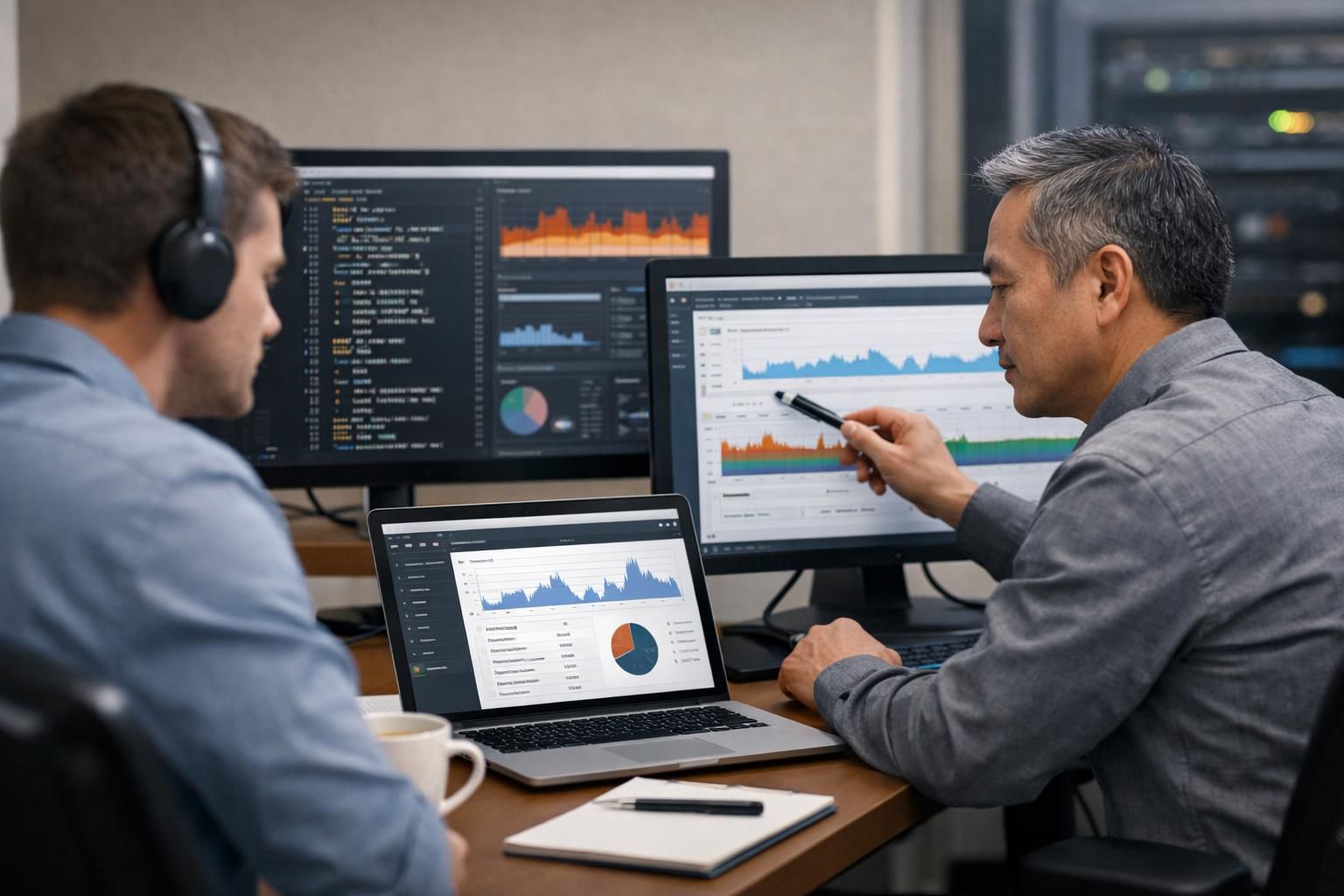
The word "instrumentation" sounds specialist, but the tools it describes are not. The Java instrumentation API — java.lang.instrument — is the mechanism behind profilers, APM agents, code coverage tools, monitoring agents, security agents, and distributed tracing agents. When your team adds an OpenTelemetry Java agent to a Spring Boot service to get traces without changing application code, that is instrumentation. When a profiler attaches to a running JVM to sample thread execution, that is instrumentation. When a coverage tool marks which lines of code were exercised during a test run, that is instrumentation.
The API supports two attach modes. An agent can be loaded at JVM startup using a premain method, which runs before the application starts. Or it can be attached dynamically to an already-running JVM using an agentmain method, which is what makes live diagnostic attachment possible without restarting a production service. Both modes allow the agent to intercept and modify class bytecode as classes are loaded or retransformed, within the constraints the API defines.
OpenTelemetry's zero-code Java instrumentation, for example, works entirely through this mechanism. Teams attach the agent at startup and get distributed tracing, metrics, and context propagation across services without touching application code. This is not a niche capability used only by JVM specialists. It is a standard pattern in modern observability engineering, and it works because the Java platform provides a stable, documented API for it.
Below the instrumentation API sits JVMTI — the JVM Tool Interface — a native interface that gives tools even deeper access to JVM state. JVMTI is what debuggers, profilers, heap analyzers, and thread inspection tools use when they need more than bytecode modification. It supports execution control, thread analysis, heap walking, and field access monitoring. Most teams never write JVMTI code directly, but every serious Java profiler and debugger relies on it. The ceiling of Java's diagnostic depth is defined by JVMTI, even if most teams only operate at the instrumentation API layer most of the time.
Production diagnostics without a restart
One of the most practically useful parts of the Java platform for operations teams is Java Flight Recorder (JFR), available in OpenJDK since JDK 11. JFR continuously records JVM and application events — memory allocation patterns, garbage collection pauses, thread activity, I/O events, lock contention — in a ring buffer that can be dumped on demand or on a triggered condition.
Oracle's documentation describes the default continuous recording configuration as designed for always-on use, with overhead typically below one percent. That makes it practical to run continuously in production, not just during pre-release profiling sessions. When an incident occurs — a memory leak, unexpected CPU spike, thread block, or anomalous latency pattern — the recording from before and during the incident is already available. Teams do not need to reproduce the problem in a controlled environment or wait for it to happen again with a profiler attached.
The jcmd utility can interact with a running JVM to start, stop, and dump JFR recordings without a service restart. Oracle's troubleshooting guidance explicitly recommends preparing Java deployments with continuous JFR enabled and notes it can help diagnose memory leaks, network errors, high CPU usage, and thread contention. The framing is worth noting: Oracle is recommending that teams plan for diagnosability before incidents happen, not as an afterthought.
In practice, this means a Java-based production system can carry real-time diagnostic capability as a normal operating condition rather than an emergency add-on. That is a materially different operational posture than platforms where getting equivalent evidence requires a rebuild, a restart, or an expensive third-party tool that may not integrate cleanly with the runtime.
Translating runtime depth into business consequences
The capabilities above only matter commercially if they change outcomes in real systems. They do, in a few specific ways.
Faster incident diagnosis. When a production problem surfaces, the first bottleneck is usually evidence, not engineering skill. If the platform does not carry diagnostic state, teams spend time reproducing the incident, adding logging, deploying a debug build, or waiting for the problem to recur. Java's class-file metadata, continuous JFR recording, and agent-based monitoring mean that evidence is often already present when the incident is reported. The mean time to identify the cause goes down not because engineers are more skilled, but because the platform does not destroy the evidence before they can look at it.
Safer troubleshooting in production. Dynamic agent attachment and jcmd-based JFR control let engineers investigate a live system without requiring a restart. In transaction-heavy systems — payment processing, booking platforms, workflow engines — restarting a service during an incident has its own costs and risks. The ability to attach a diagnostic tool to a running JVM, gather evidence, and detach is operationally safer than the alternatives.
Lower long-term maintenance risk. Systems that are easy to instrument and observe tend to accumulate less undiagnosed technical debt. When engineers can see what is happening inside a running system, they catch performance regressions, memory trends, and unexpected behavior before they become expensive problems. Platforms that offer thinner runtime observability tend to hide those signals until the problem is already serious.
Safer scaling. Adding load to a system that you cannot observe well is a risk you are absorbing silently. Java's profiling and monitoring ecosystem, including JFR, standard profilers, and APM integration through the instrumentation API, makes it possible to understand how a system behaves under different load profiles before capacity decisions are made. That is relevant for teams planning growth, not just teams dealing with current incidents.
In transaction-heavy systems, the connection between these capabilities and audit readiness is direct. When balance changes, payment events, or state transitions are recorded in systems that offer event-level traceability — like the transaction history and audit-ready records or audited balance changes in OpenKnit's modular Java foundation — the diagnostic stack underneath matters. A platform that cannot tell you what happened at the runtime level makes those audit records harder to validate when something looks wrong.
Why Java Still Fits Complex Custom Software
Not every project needs this level of diagnostic depth. A marketing microsite, a disposable prototype, or an internal tool with a short expected lifespan does not need continuous flight recording or JVMTI-backed profilers. Choosing a lighter stack for those projects is reasonable.
The calculus changes for systems that are expected to run for years, handle financial transactions, support regulated workflows, or sit at the center of a business process where an hour of unexplained downtime costs more than a week of development time. For those systems, the relevant question is not "what gets us to launch fastest?" but "what gives us the best operating leverage when this system becomes hard to maintain?"
Java's answer to that question is unusually complete. The class-file model preserves diagnostic metadata through compilation and deployment. The instrumentation API is the foundation for the entire serious monitoring and profiling tool ecosystem. JFR offers low-overhead continuous recording as a standard runtime feature, not an add-on. Spring Boot's production-ready tooling — health checks, metrics endpoints, JMX/HTTP management, auditing — is built on the same foundation and treats observability as a first-class concern, not an afterthought. Current Spring Boot requires Java 17 as a baseline and supports current Java releases, which confirms the ecosystem is actively maintained rather than coasting on historical momentum.
For teams comparing Java against lighter or newer stacks, the comparison worth making is not language syntax or startup speed. It is: when this system is three years old, running in production at scale, and something goes wrong at two in the morning, how much diagnostic leverage will we have? Java's answer to that question is one of its strongest arguments, and it is grounded in platform design rather than vendor marketing.
A modular Java foundation like OpenKnit shows what this looks like in practice: a Java and Spring Boot base with clear module boundaries, code ownership, and reusable business domains — identity, payments, wallets, transactions — built to be extended rather than replaced. That architectural approach and Java's diagnostic depth reinforce each other. Systems built with clear boundaries are easier to instrument. Systems that are easy to instrument are easier to maintain over time.
Short-term convenience versus long-term operability
Teams choosing a stack for complex custom software often feel pressure to optimize for initial delivery speed. That pressure is real. No-code platforms, lightweight scripting environments, and rapid-development frameworks can get a working product in front of users faster than a carefully structured Java application. For the right scope, that is the correct trade-off.
The risk is applying that reasoning to systems where the post-launch phase is longer and more expensive than the build phase. A system that takes six months to build but runs for six years accumulates most of its total cost in maintenance, incident response, and adaptation — not in the initial development sprint. A stack that optimizes for launch speed but offers thinner runtime observability can make each of those post-launch maintenance events harder and more expensive than it needs to be.
This is not an argument that Java is always the right answer. It is an argument about which characteristics matter most in which contexts. For a comparison of how different build approaches — full-code, low-code, no-code, and generated systems — trade off on control, lock-in, and long-term maintenance, the comparison of IT system build techniques covers that ground more thoroughly. For the broader case for Java in enterprise contexts, the Java for enterprise application development article covers LTS, hiring depth, and ecosystem maturity in more detail.
The bytecode and instrumentation layer discussed here is the technical foundation that makes Java's long-term operability claims credible rather than just asserted. It is what makes the runtime introspectable, the incidents diagnosable, and the maintenance costs more predictable over time.
Choosing a stack for systems that need to last
For CTOs, engineering leads, and product owners evaluating a stack for complex custom software, a few questions are worth asking directly:
How diagnosable will this system be in production at year three? If the answer depends on adding significant tooling later, the cost of that tooling — and the incidents that happen before it exists — should be part of the initial trade-off.
What happens when something goes wrong in a way that source-level logging does not explain? Classloading conflicts, memory leaks, framework proxy behavior, and production-only performance regressions often require deeper evidence than application logs can provide. Java gives teams a path to that evidence through class-file inspection, agent attachment, and JFR recordings. That path should exist before the incident, not be improvised during it.
Is the monitoring and observability tooling you want to use built for this platform? APM vendors, distributed tracing frameworks, profilers, and security agents build their Java integrations on the instrumentation API. That ecosystem depth is not replicated on every platform. For teams who want to use mainstream observability tools without building custom integrations, Java's instrumentation model is a practical advantage.
Does the team understand the difference between debugging depth they need today and debugging depth they might need later? Most teams running complex Java systems never need to write JVMTI code or manually inspect bytecode with javap. But having a platform where those layers exist — where a classloading conflict produces an inspectable artifact rather than a silent failure, where a performance regression can be captured with JFR without a service restart — is meaningful insurance for the cases where source-level investigation is not enough.
The right framing is not that every team needs bytecode-level expertise. It is that teams building critical systems benefit from a platform where that depth exists when incidents become expensive. Java has that depth. It is documented, standardized, and supported by a mature ecosystem of tools that rely on it every day. For teams building Java for financial software or other operationally sensitive platforms, that diagnostic foundation is part of what makes Java a serious long-term choice — not just a historically popular one.
Bitecode builds custom software on strong technical foundations because the systems we work on tend to grow in complexity after launch. The diagnostic depth Java provides is part of why we reach for it on projects where maintainability, incident response, and long-term operability are not optional requirements.


